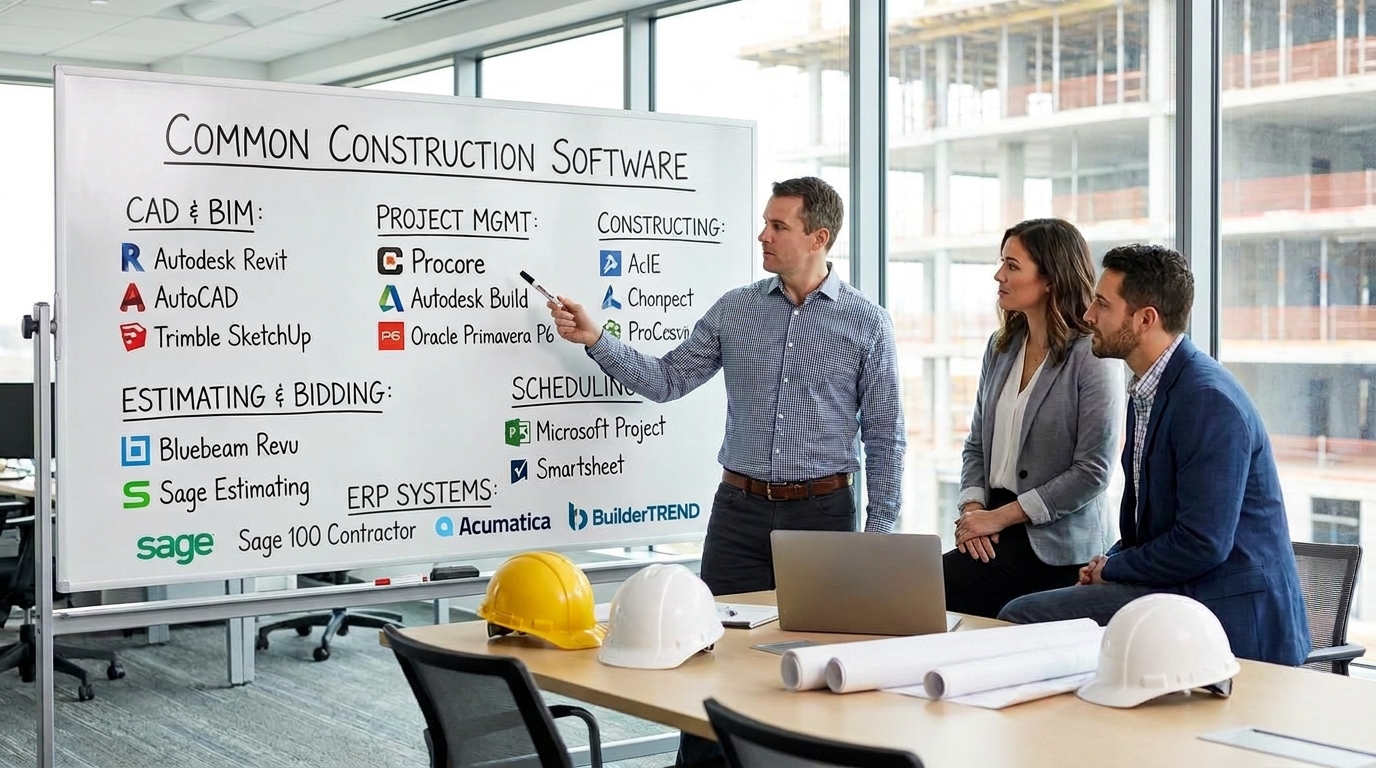
Small construction companies should choose an ERP system based on their project size, accounting needs, job costing requirements, and ability to implement the software—not simply on which vendor appears first in search results. Consideration-worthy options might be Sage 100 Contractor, Acumatica Construction Edition, Microsoft Dynamics 365 Business Central, Odoo, and industry-specific solutions like Buildertrend or Contractor Foreman. However, it will depend on your company's needs, whether you require a comprehensive solution or a less elaborate accounting and project management bundle.
Thank you for reading this post, don't forget to subscribe!Thank you for reading this post, don't forget to subscribe!However, if you've looked up construction ERP solutions, and most of the results were paid ones, you are not alone. Marketing might make it hard to tell whether it is a good fit or a costly solution packed with too many features that will be useless for a small construction firm.
In this guide, we take an engineering-oriented approach to finding an appropriate ERP software. Rather than relying on well-known brands, we are going to discuss how to select a proper solution based on its functionality.
Quick Answer: Which ERP Is Best for a Small Construction Company?
There is no single ERP that is best for every small construction company. Start with the following shortlist and verify each product's current features, pricing, regional availability, and implementation requirements before making a decision.
| Software | Best suited for | What to evaluate |
|---|---|---|
| Sage 100 Contractor | Small and growing contractors needing construction-focused accounting and operational controls | Job costing, accounting workflows, payroll requirements, reporting, and implementation support |
| Acumatica Construction Edition | Contractors wanting connected project financials and operational workflows | Implementation cost, licensing structure, integrations, and whether its broader functionality is necessary |
| Microsoft Dynamics 365 Business Central | Small businesses wanting connected finance, purchasing, inventory, and business operations | Construction-specific capabilities, add-ons, customization, and partner expertise |
| Odoo | Smaller businesses looking for modular business management software | Construction workflow configuration, project accounting, reporting, and ongoing support |
| Buildertrend | Residential builders and remodelers managing projects and customer communication | Financial depth, accounting integrations, job costing, and suitability for your type of construction |
| Contractor Foreman | Small contractors looking for a broad set of day-to-day construction management tools | Accounting integration, payroll requirements, reporting, feature limits, and total subscription cost |
Important: This is a practical shortlist, not a verified ranking of the cheapest or highest-rated systems. Some products are full ERP platforms, while others are construction management systems that may need to connect to separate accounting or payroll software.
What Is an ERP System in Construction?
Enterprise Resource Planning (ERP) links essential business activities into one coordinated business activity platform. In the case of construction companies, the business activities could involve accounting, budgeting, procurement, inventory, labor, subcontractors, projects' reporting and payroll integrations.
Imagine that the ERP system is a project control system where a manager compares the quantities planned, quantities already used, resources utilized, progress made and budget left on an engineering project. The construction ERP will apply the same philosophy to business activities.
For instance, suppose there is a contractor developing three homes at once. In the case that the contractor buys the cement using one spreadsheet and labor hours using another spreadsheet while the payments to the suppliers are recorded using an accounting application, the management may lack information regarding the projects' financial positions.
An integrated system will assist in linking such documents where the management can find out about:
- How much has each project spent compared with its approved budget?
- Which materials have been purchased, delivered, issued, or remain in stock?
- How much labor cost has been allocated to each job?
- What amounts are owed to suppliers and subcontractors?
- Which projects are experiencing cost overruns or delayed billing?
- How much revenue has been invoiced, received, or remains outstanding?
The value is not simply having more software. It is having consistent, traceable information for better project decisions.
Recommended ERP Systems for Small Construction Companies
1. Sage 100 Contractor
Best for: Contractors seeking construction-focused accounting and job management functionality.
Sage 100 Contractor deserves a closer look when your firm needs more than just basic bookkeeping. Construction firms should check out what the software can do regarding managing job costing, budgeting, subcontractors, financial reporting, and the accounting activities related to ongoing construction projects.
Consider this software after getting an end-to-end demonstration of a full lifecycle of a realistic project, including a budget, a purchase from a supplier, labor-related expenses, an invoice from a subcontractor, and comparing actual expenses to the budget.
Potential concern: The overall cost and complexity might be tough to justify for a small contractor working on only a few uncomplicated projects. Check the required modules, implementation services, and support cost.
2. Acumatica Construction Edition
Best for: Construction firms in the process of growth looking for project financial management capabilities and integration of business processes.
If you need to connect accounting, project management, purchasing, and other business processes, Acumatica is one of the options worth consideration. This product may be a solution for you when spreadsheets and separate applications make it complicated to understand the financial status of several projects.
Ask for a demonstration showing how approved budgets, purchase commitments, subcontractor costs, change orders, and actual expenditure appear in project reports. Also establish which features are included in the proposed configuration and which require additional implementation or integration work.
Potential concern: A comprehensive platform can introduce unnecessary cost and complexity if your company only needs basic accounting, estimating, and project tracking.
3. Microsoft Dynamics 365 Business Central
Best for: Small businesses needing financial and operational management integration with workflows tailored for construction projects.
Business Central offers the basis for financial management, procurement, inventory management, and other business processes. Yet, for a construction contracting firm, the adequacy of the whole solution will depend on the construction-related customizations, integration and partners chosen to implement the solution.
At the demo, ask about how the offered solution manages project budgets, cost codes, subcontractor commitments, progress billing, retention and work-in-progress reporting, wherever applicable.
Potential concern: Not all business systems can be considered automatically as full-scale construction ERP solutions. You might require some add-ons or customization in order to support your specific contract and project control requirements.
4. Odoo
Best for: Small businesses wanting to adopt business software via the modular approach.
Odoo is offering various business applications which can manage accounting, procurement, inventory, sales, and project management among others. This would be a good fit for a contractor who prefers to begin with fewer applications and gradually build upon them.
The important question to ask here is to what extent the configuration will be needed to describe the true construction process. Check if the offered solution allows tracking of the cost codes, materials, labor, subcontractors, changes in budget, and finances for each project without excessive manual involvement.
Potential concern: Modular system requires special configuration, additional applications, or even custom development. Consider these costs and liability for further maintenance as well.
5. Buildertrend
Best for: Residential construction businesses and remodelers that require project coordination and customer-related processes.
Buildertrend should be taken into account if your company is engaged in residential construction projects, scheduling, selection, customer communication, change orders, and project management.
Nevertheless, project management software is not the same thing as an ERP system. Be sure that the financial processes provided by Buildertrend are suitable for you or if you'll have to purchase another accounting tool.
Potential concern: Workflow of residential builder can be very different from civil engineering contractor, commercial general contractor, or specialized subcontractor.
6. Contractor Foreman
Best for: Small-scale contractors that would like to have a comprehensive set of construction management features in one single solution.
It’s worthwhile to check out Contractor Foreman if you would like to have project scheduling, documentation, time tracking, estimating, and other regular activities organized without switching to an advanced enterprise solution straight away.
Check how often the functions that your team will be using the most are working. Do your site foremen have the opportunity to record their hours and work logs via mobile? Can your managers view the job costs? What’s the integration of this solution with your current accounting and payroll?
Potential concern: Make sure that the program offers you the necessary level of financial management and reporting. Just because there is a long list of features doesn’t necessarily mean that the program substitutes a specialized construction ERP.
Do Small Construction Companies Actually Need an ERP?
Not all contractors require an ERP system. It all depends on the amount of projects that you run, complexity of your contracts, transactional volumes, and time spent on reconciling various data.
| Your situation | Practical starting point |
|---|---|
| One-person contractor or a very small crew with simple projects | Accounting software, estimating, and a simple project tracker may be sufficient. |
| Residential builder managing multiple active jobs | Consider residential construction management software with budgeting and accounting integration. |
| Growing general contractor managing subcontractors and purchase commitments | Evaluate construction-focused accounting and ERP systems with project cost control. |
| Civil contractor managing labor-intensive projects, equipment, and complex budgets | Prioritize job costing, cost codes, equipment costs, subcontractor commitments, and budget-versus-actual reporting. |
| Contractor handling certified payroll or specialized wage reporting | Verify the exact payroll compliance requirements and whether a dedicated payroll solution is needed. |
A useful rule is to buy software to solve an identified operational problem, not simply because competitors claim to use an ERP.
The Engineering Approach: Evaluate ERP Through Project Controls
Construction software decisions are easier when the business is treated as a controlled production process. A project begins with an estimate and an approved budget. It then consumes labor, materials, equipment, subcontracted services, and time. The system should help the team measure actual performance against the plan.
1. Budget versus actual cost
Can the software compare the approved budget with actual costs for each project and cost code? Can it identify unfavorable variances early enough for management to investigate them?
2. Committed costs
Actual expenditure alone does not show the full financial position of a project. Approved purchase orders and subcontract agreements may create future obligations before invoices arrive. Ask whether the system can report committed costs alongside actual expenditure and the remaining budget.
3. Labor and productivity
Labor hours should be associated with the correct project and activity. This helps management compare planned labor requirements with actual hours and investigate productivity changes. If payroll is handled separately, confirm that the integration transfers accurate job and labor-cost information.
4. Materials and procurement
For material-intensive projects, evaluate purchasing approvals, supplier records, delivery tracking, inventory movements, and material costs allocated to jobs. The goal is to reduce unexplained differences between estimated quantities, purchased quantities, and materials consumed on site.
5. Change orders and revised budgets
Construction projects change. Additional work, design revisions, delays, and quantity changes can affect the original budget. The system should provide a traceable way to record approved changes and distinguish them from the original contract scope.
6. Reporting and audit trails
Project managers and business owners should be able to understand where the numbers came from. Check approval histories, transaction references, access controls, and the ability to trace a project report back to the relevant financial or operational records.
ERP Software vs. Construction Management Software
These categories overlap, but they are not interchangeable. ERP software generally focuses on connecting business operations and financial records. Construction management software often focuses on coordinating project execution, field activities, documentation, and communication.
| Capability | Construction management focus | ERP focus |
|---|---|---|
| Schedules and daily site records | Often a core function | May be available or require integration |
| Drawings, RFIs, and project documentation | Often a core function for suitable platforms | May require another application |
| General ledger and financial reporting | May be limited or integration-based | Usually a central capability |
| Job costing and budget control | Depends on product depth | Important in a construction-focused ERP |
| Procurement and inventory | Varies by platform | Often available, depending on configuration |
| Payroll and labor compliance | May provide time tracking or integrations | May provide payroll features or connect to a payroll system |
For many small companies, a connected combination of accounting, construction management, and payroll tools may be more practical than replacing everything with one large platform. The important requirement is that data moves reliably between the systems.
For a more detailed comparison, read our guide: What Is the Best ERP for Construction?
How to Choose an Affordable ERP for a Small Construction Business
Compare the total cost of ownership rather than looking at the advertised subscription alone. A system with a low entry price may become expensive once integrations, implementation, training, and customization are included.
- Document your current problems. List the spreadsheets, manual reports, duplicate entries, delayed invoices, and cost-control gaps that need to be fixed.
- Identify essential functions. Separate must-have capabilities from features that would merely be convenient.
- Request a realistic demonstration. Use one of your typical projects and ask the vendor to demonstrate the complete workflow from budget approval to cost reporting.
- Check integrations. Verify compatibility with your accounting, payroll, estimating, document management, and time-tracking systems.
- Calculate the full cost. Include licensing, setup, migration, training, support, add-ons, and ongoing maintenance.
- Test usability on site. Ask a site supervisor or project engineer to test the actual tasks they will perform, including mobile data entry where required.
- Run a pilot. Start with one project or a controlled business process before migrating every active job.
- Define success measures. Track whether the new system reduces reporting time, improves cost visibility, lowers data-entry errors, or speeds up approvals.
Questions to Ask Before Buying Construction ERP Software
- Can the software track costs by project, phase, and cost code?
- Can it show actual costs, committed costs, and the remaining budget?
- Does it support the progress billing and retention arrangements used in our contracts?
- Can it track subcontractor commitments, invoices, and approvals?
- How are labor hours and payroll costs allocated to individual projects?
- Does it support the payroll rules and statutory reporting required in our country?
- Can it handle multiple currencies, tax rules, and company entities if required?
- What happens to our data if we leave the platform?
- What are the complete implementation and recurring costs?
- Can we speak with a contractor of similar size and project type who already uses it?
For contractors operating in Nigeria, the UAE, the United Kingdom, the United States, or other jurisdictions, verify local tax, payroll, statutory reporting, and data requirements separately. A product's availability in a country does not automatically mean every local requirement is supported.
Where Can You Find Reliable Construction ERP Recommendations?
When search results are dominated by advertisements, use several information sources rather than relying on a single ranking article.
1. Ask contractors with similar projects
A recommendation from a contractor running a similar type and size of business can be more useful than a general software ranking. Ask about implementation difficulties, reporting limitations, support response times, integrations, and unexpected costs—not just whether the company likes the product.
2. Explore construction communities on Reddit
Online communities can provide practical discussions about software selection and implementation. Consider these communities:
- r/Construction — construction industry discussions and practical workflow questions.
- r/ConstructionManagers — construction management experiences and project operations.
- r/ERP — broader discussions about ERP selection, implementation, and system limitations.
- r/Accounting — accounting workflow discussions that may help when assessing financial systems.
Community comments are individual experiences, not audited product evaluations. Look for detailed accounts from people with a similar contractor profile, and check whether a recommendation comes from a vendor, consultant, or independent user.
3. Read independent review platforms carefully
Review sites can help you identify recurring concerns about usability, support, implementation, and features. Read both positive and negative reviews, check their dates, and pay attention to reviewers whose company size and industry match yours.
Do not assume that a high overall rating means a product will handle your construction accounting, payroll, or project-control requirements.
4. Ask vendors to demonstrate your workflow
A live demonstration is more useful when you provide a realistic scenario. Ask the vendor to show how a project budget is created, how a purchase order affects committed costs, how an invoice is allocated, and how management identifies a cost overrun.
If the vendor cannot clearly demonstrate a critical requirement, ask whether it needs an add-on, customization, or a third-party integration—and include the cost in your comparison.
Common Mistakes Small Contractors Should Avoid
- Buying too much software: Enterprise-level complexity can overwhelm a small team and increase implementation costs.
- Choosing based on advertising: Search visibility is not proof that a system is the best fit for your business.
- Confusing project management with ERP: Scheduling and document management do not automatically provide comprehensive accounting and job costing.
- Ignoring the field team: If supervisors cannot enter reliable information, the office will continue to depend on manual records.
- Underestimating migration: Old project codes, supplier records, budgets, and accounting data need a structured migration plan.
- Failing to define ownership: Someone must be responsible for configuration, data quality, user access, and training.
- Automating a broken process: Software will not automatically fix unclear approval procedures, inconsistent cost codes, or unreliable site records.
Frequently Asked Questions
What is the best ERP for a small construction company?
There is no single victor here. Sage 100 Contractor and Acumatica Construction Edition are worth looking into for construction-based financial and operations purposes. Business Central and Odoo might be appropriate for those companies that want a complete business solution, whereas Buildertrend and Contractor Foreman can be considered by specific construction companies.
Can a small construction company use ERP software without an IT department?
Of course, but there must be some individual responsible for system administration, data management, user education, and process management. Properly scoped implementation with vendor/partner assistance can be easier to manage than heavy customizing.
Is ERP software too expensive for a small contractor?
That is possible if the company purchases unnecessary functionality or underestimates the implementation costs. Small contractors have to weigh the total cost of an ERP against the cost of accounting, estimation, project management, and Excel workflows of theirs.
What is the difference between construction ERP and accounting software?
Accounting systems are usually used for the purposes of recording and reporting financial transactions. Construction ERP may link accounting data to budgets, purchasing, subcontracts, manpower, inventories, etc. It depends on the particular system and its configuration.
Can ERP software handle construction payroll?
Some systems provide payroll capabilities or integrations, while others rely on a separate payroll application. Contractors should confirm support for their country, employee classifications, overtime rules, job allocation, certified payroll where applicable, and required statutory reporting.
Explore our related guide: Payroll Software for Construction.
Where can I get unbiased recommendations for construction ERP?
Talk to contractors dealing with similar projects, read older user testimonials, engage in construction and ERP forums, and ask for referrals from vendors. Not everything is objective in any single source, so double check and validate your most important requirements through a demo.
Should I choose one all-in-one platform or several specialized tools?
Pick an option giving you the necessary data without overcomplicating things. All-in-one software could eliminate duplicate data entry, but sometimes specialized solutions do certain things more efficiently. Compare ease of integration, reporting, price, support, and effort on application management.
Final Recommendation: Start With Your Project Control Requirements
For a small construction business, the ideal ERP would be the one which increases the control of the organization over its projects but does not add administrative burden beyond what it subtracts.
First, determine the key business problem you face. In case the issue is project cost transparency, focus on job costing and variance analysis. When the problem is purchasing, research purchase commitments and materials management. If the problem is related to payroll and labor allocation, ensure proper time tracking, job coding, and payroll integration capabilities.
Second, select two or three appropriate ERPs, test them on a single project situation, and compare costs. A narrow ERP implemented well is better than a comprehensive ERP which no one uses.
At Construction Payroll Software, our goal is to help contractors evaluate business software based on practical requirements—not advertising claims alone. Use our construction software directory to continue researching tools relevant to your business.
Accounting Software for Construction Companies: Complete Guide