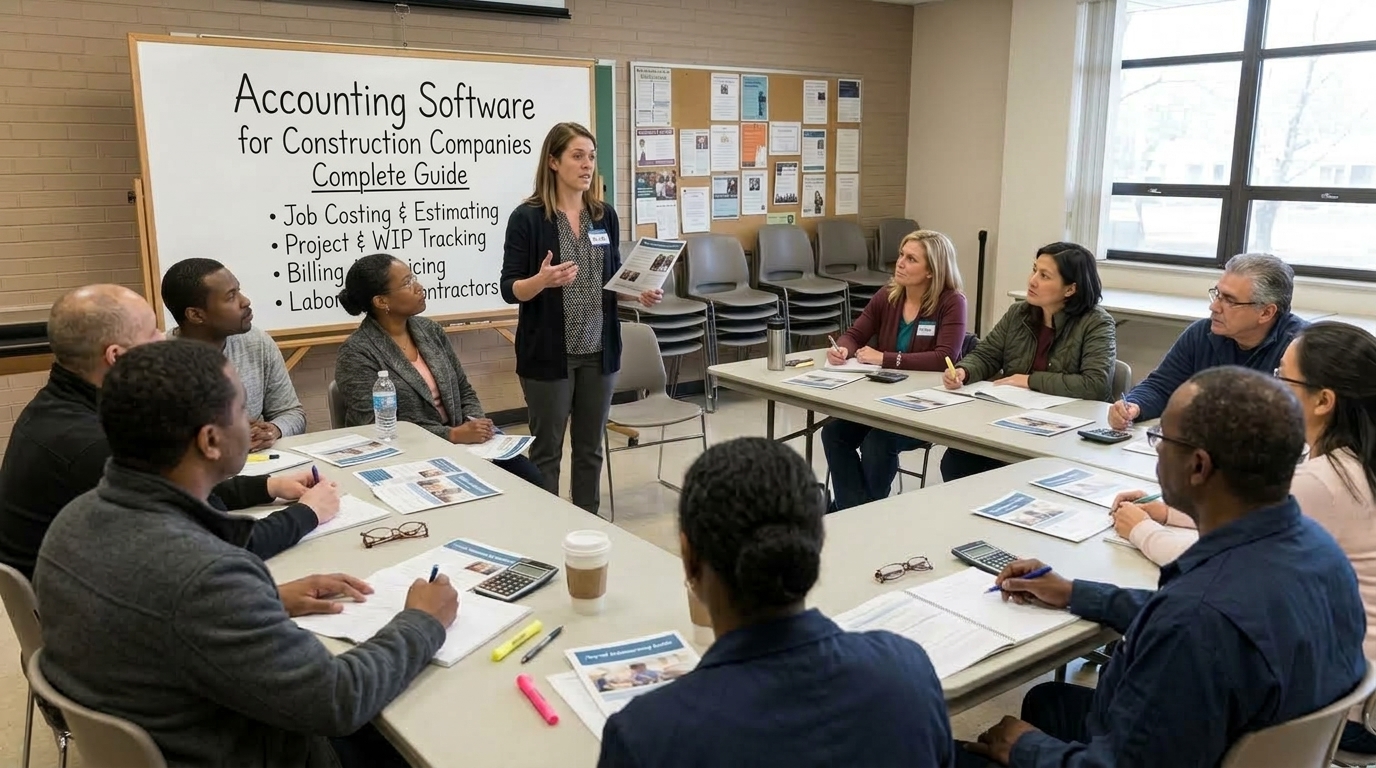
Accounting software for construction companies is designed to do more than record income and expenses. Construction businesses need to know how much each project costs, how much has been billed, what customers still owe, what subcontractors are owed, how much work remains, and whether a job is still profitable.
Thank you for reading this post, don't forget to subscribe!Thank you for reading this post, don't forget to subscribe!That is why construction accounting is different from ordinary small-business bookkeeping.
What Is Accounting Software for Construction Companies?
Accounting software for construction companies is financial management software designed around project-based businesses such as general contractors, specialty contractors, builders, remodelers, civil contractors, and construction firms.
Traditional accounting focuses heavily on company-wide financial activity:
- Income
- Expenses
- Accounts payable
- Accounts receivable
- Bank transactions
- Payroll
- Taxes
Construction accounting adds another critical dimension: the job.
Instead of asking only, "How much did the company spend this month?" a construction company needs to ask:
- How much have we spent on Project A?
- How much labor has Project A consumed?
- Are material costs above budget?
- How much have we committed to subcontractors?
- How much has the customer been billed?
- How much retainage is outstanding?
- Is the project still expected to make its original margin?
- How much revenue has been earned compared with the amount billed?
Modern construction accounting platforms are therefore built around job-level financial information, with features such as job costing, progress billing, retainage, WIP reporting and construction-specific payroll or integrations.
For a deeper explanation, see our guide to construction accounting software.
Why Construction Companies Need Different Accounting Software
A construction company can have dozens of financial transactions associated with a single project.
For example, a commercial building project might involve:
- Direct labor
- Materials
- Equipment
- Subcontractors
- Permits
- Insurance
- Site expenses
- Payroll taxes
- Project overhead
- Change orders
- Customer invoices
- Retainage
If these costs are recorded only in a general ledger without being properly connected to the project, the company may know its overall financial position without knowing whether a particular project is making or losing money.
Construction accounting software solves this problem by connecting financial transactions to jobs, phases and cost codes.
Construction Accounting Software vs. Regular Accounting Software
| Feature | General Accounting Software | Construction Accounting Software |
|---|---|---|
| Income and expense tracking | Yes | Yes |
| Invoicing | Yes | Yes |
| Bank reconciliation | Yes | Yes |
| Basic project tracking | Sometimes | Yes |
| Detailed job costing | Limited or add-on | Core feature |
| Cost-code tracking | Limited | Common |
| Progress billing | Limited | Construction-focused |
| Retainage tracking | Often limited | Common |
| WIP reporting | Usually limited | Common |
| Subcontractor cost tracking | Basic | Construction-focused |
| Certified payroll | Usually requires another solution | Available in some platforms |
| Construction payroll integration | Depends on platform | Common |
| Change-order financial tracking | Limited | Common |
The difference is not simply that construction software has "more features." The important difference is that the accounting system is designed around the financial lifecycle of a construction project.
What Features Should Accounting Software for Construction Companies Have?
Before choosing a platform, identify the accounting processes that are actually important to your company.
1. Job Costing
Job costing is one of the most important features in construction accounting.
It allows contractors to assign costs to individual projects and compare actual spending with the original estimate or budget.
Common construction cost categories include:
- Labor
- Materials
- Subcontractors
- Equipment
- Permits
- Project overhead
- Other direct costs
For example, suppose a contractor estimates a project at:
| Category | Estimated Cost |
|---|---|
| Labor | $60,000 |
| Materials | $80,000 |
| Subcontractors | $40,000 |
| Equipment | $10,000 |
| Other costs | $10,000 |
| Total estimated cost | $200,000 |
If actual costs begin moving significantly above those estimates, the contractor needs to know why, not simply discover the problem when the project is finished.
Our detailed guide explains how construction accounting software with job costing works and what contractors should test during a software demonstration.
2. Project Profitability Tracking
Construction companies need to measure profitability at the project level.
A basic calculation is:
Estimated Gross Profit = Contract Revenue − Estimated Project Cost
But construction software can go further by comparing:
- Original budget
- Approved changes
- Committed costs
- Actual costs
- Estimated cost to complete
- Revenue earned
- Amount billed
- Projected final profit
This gives management a much clearer view of project performance.
3. Work-in-Progress (WIP) Reporting
WIP reporting is particularly important for contractors managing longer-term projects.
A WIP schedule can help compare the financial position of active contracts, including information such as:
- Contract value
- Costs incurred to date
- Estimated cost to complete
- Percentage of completion
- Revenue earned
- Billings to date
- Overbilling or underbilling
Construction accounting systems commonly use WIP information to help contractors and financial professionals understand project performance and revenue recognition.
4. Progress Billing
Construction projects are often not billed like ordinary retail transactions.
Depending on the contract, billing may be based on:
- Completed work
- Project milestones
- Percentage of completion
- Schedule of values
- Time and materials
- Cost plus
- Unit-price work
For commercial construction, some accounting and billing systems also support AIA-style progress billing workflows.
Your software should be able to connect billing with the underlying project information instead of forcing your accounting team to recreate figures manually in spreadsheets.
5. Retainage or Retention Tracking
Retainage, also called retention in some markets, is money withheld from a contractor's payment until specified project conditions are satisfied.
For example, if a $100,000 progress payment has a 10% retainage provision:
$100,000 × 10% = $10,000 retainage
The contractor may therefore receive $90,000 while $10,000 remains outstanding as retainage.
Construction accounting software should make it possible to distinguish retainage from ordinary accounts receivable and track it through project completion.
6. Accounts Receivable and Accounts Payable
Construction cash flow depends heavily on the timing of money coming in and going out.
Your accounting system should help track:
- Customer invoices
- Outstanding receivables
- Retainage receivable
- Vendor bills
- Subcontractor invoices
- Retainage payable
- Payment dates
- Outstanding commitments
A company can have profitable projects and still experience cash-flow pressure if customer payments arrive after payroll, materials and subcontractor obligations are due.
7. Subcontractor Management
Subcontractors can represent a significant portion of construction project costs.
Look for accounting functionality that helps connect:
- Subcontract agreements
- Purchase orders
- Commitments
- Invoices
- Payments
- Change orders
- Retainage
- Job costs
This creates a clearer picture of what the company has already spent and what it has committed to spend.
8. Construction Payroll Integration
Payroll and accounting should not be completely segregated financial systems.
Labor is one of the main expense categories for many construction projects; therefore, payroll data should flow into the right project or cost code.
This can be particularly crucial for contractors whose employees perform work on more than one project, at various rates, or who are subject to prevailing wage or union rules.
See our construction payroll software directory for more information about payroll systems built around construction workflows.
9. Certified Payroll and Prevailing Wage Support
Contractors with projects that fall under prevailing wage may have some additional payroll and reporting considerations.
In case that is true for your company, you might want to check whether the accounting system has the necessary functionality or integrates with specialized payroll systems for construction firms.
Just because your software supports regular payroll does not mean it covers all aspects of prevailing wage and certified payroll.
Our certified payroll guide explains the role of certified payroll in construction in greater detail.
10. Change Order Tracking
Change orders can significantly affect a project's financial position.
Your accounting workflow should make it possible to distinguish between:
- Original contract value
- Pending changes
- Approved changes
- Revised contract value
- Additional costs
- Additional revenue
If approved changes never reach the accounting system, project profitability and billing information can quickly become inaccurate.
11. Construction Reporting
A good construction accounting system should make financial information easier to understand.
Useful reports may include:
- Job profitability reports
- Budget-versus-actual reports
- WIP reports
- Accounts receivable aging
- Accounts payable aging
- Cash-flow reports
- Cost-code reports
- Labor-cost reports
- Subcontractor reports
- Project financial summaries
How Job Costing Works With Construction Accounting
Consider a contractor building a $500,000 commercial project.
The original estimated project cost is $400,000, giving an expected gross profit of:
$500,000 − $400,000 = $100,000
Now imagine that actual labor, material and subcontractor costs begin exceeding the original estimates.
A construction accounting system with job costing can show where the variance is occurring.
| Cost Category | Budget | Actual | Variance |
|---|---|---|---|
| Labor | $120,000 | $135,000 | +$15,000 |
| Materials | $150,000 | $148,000 | -$2,000 |
| Subcontractors | $90,000 | $96,000 | +$6,000 |
| Equipment | $20,000 | $22,000 | +$2,000 |
| Other | $20,000 | $19,000 | -$1,000 |
| Total | $400,000 | $420,000 | +$20,000 |
It is clear that the total cost of the project exceeded its initial estimates by $20,000.
This does not imply that the project will result in a loss. The contractor could approve the change orders and savings in other categories and have control over future expenses.
What is really important here is that there is sufficient time to research the issue..
Accounting Software for Small Construction Companies
A small-sized company does not always need enterprise construction ERP systems.
With your small staff and easy construction projects, you can use a general accounting program with tracking features of projects.
For instance, QuickBooks offers job costing software designed for construction projects and able to calculate revenue, expenses, and profitability of the project along with integration with construction software.
But the key question is not just about:
"Can this software do accounting?"
The better question is:
"Can this software handle the way my construction company actually operates?"
For small contractors, evaluate:
- Project profitability
- Basic job costing
- Invoicing
- Expense tracking
- Payroll integration
- Time tracking
- Subcontractor costs
- Ease of use
- Accountant access
- Future scalability
For more information, see our dedicated guide to construction accounting software for small business.
Accounting Software for Growing Construction Companies
As construction companies grow, financial complexity usually increases with them.
You may move from:
One project → Several projects → Multiple crews → Multiple subcontractors → Complex billing → Multiple entities or jurisdictions
At that point, a basic accounting system may require an increasing number of spreadsheets, integrations and manual processes.
Growing contractors should evaluate whether their software can support:
- Detailed cost codes
- Multiple active jobs
- Committed costs
- Purchase orders
- Subcontract management
- Progress billing
- Retainage
- WIP reporting
- Construction payroll
- Certified payroll
- Change orders
- Advanced financial reporting
- Multiple companies or divisions
Construction Accounting Software for General Contractors
General contractors often need deeper financial coordination because they manage multiple subcontractors, suppliers, contracts, change orders and payment applications.
Important capabilities can include:
- Subcontract commitments
- Purchase orders
- Subcontractor invoices
- Retainage
- Change orders
- Progress billing
- Schedule of values
- WIP reporting
- Job-cost reporting
- Document and project integrations
For larger organizations, accounting may also become part of a broader construction ERP that combines financial management with project management, procurement, human resources and field operations. Sage, for example, describes construction-focused capabilities including job costing, AIA-style billing, payroll and WIP reporting.
Construction Accounting Software for Specialty Contractors
Specialty contractors can have different accounting requirements from general contractors.
Depending on the trade, you may need to track:
- Labor by crew
- Material usage
- Equipment
- Service calls
- Subcontractors
- Purchase orders
- Change orders
- Project phases
- Field time
For a specialty contractor, the software should match the company's actual workflow rather than simply having the largest possible feature list.
How to Choose Accounting Software for a Construction Company
Instead of starting with software brands, start with your company's accounting requirements.
Step 1: Count Your Active Projects
How many projects do you normally have running at the same time?
One or two simple residential projects require a different system from a contractor managing dozens of commercial projects simultaneously.
Step 2: Identify Your Contract Types
Determine whether you use:
- Fixed-price contracts
- Time-and-materials contracts
- Cost-plus contracts
- Unit-price contracts
- Progress billing
- Milestone billing
Step 3: Define Your Job-Costing Requirements
Ask whether you need to track costs by:
- Project
- Phase
- Cost code
- Employee
- Crew
- Equipment
- Subcontractor
Step 4: Check Payroll Requirements
Determine whether your company needs:
- Standard payroll
- Multiple pay rates
- Union payroll
- Prevailing wage
- Certified payroll
- Job-based labor allocation
- Multi-state payroll
If payroll is a major part of your workflow, your accounting and payroll systems should exchange information reliably.
Step 5: Test Billing
Do not choose accounting software based only on the general ledger.
Test an actual project and see how the system handles:
- Progress billing
- Retainage
- Change orders
- Stored materials
- Subcontractor billing
- Customer payments
Step 6: Test Reporting
Ask the vendor to demonstrate the reports your company actually needs.
Do not accept a generic presentation. Give the vendor a realistic construction scenario.
Questions to Ask Before Buying Construction Accounting Software
- Can I track labor, materials and subcontractors by job?
- Can I create detailed cost codes?
- Can I compare estimated and actual costs?
- Can I track committed costs?
- Can the system handle change orders?
- Can it track retainage?
- Can it handle progress billing?
- Does it support WIP reporting?
- Can payroll costs flow into job costing?
- Does it support certified payroll if I need it?
- Can it integrate with my project-management software?
- Can my accountant access the system?
- How easy is it to export my data?
- What happens when my company grows?
- What are the implementation and training costs?
How Much Does Construction Accounting Software Cost?
There is no single price for construction accounting software.
Costs can vary significantly depending on:
- Number of users
- Number of companies
- Modules
- Payroll requirements
- Job-costing depth
- Cloud versus hosted deployment
- Implementation
- Training
- Integrations
- Support
Some small contractors can start with general accounting software and construction-related add-ons, while more complex construction firms may require a dedicated accounting platform or ERP.
Do not compare software based solely on its monthly subscription price. Calculate the total cost of ownership, including implementation, migration, training, payroll, integrations and additional modules.
Construction Accounting Software and Payroll Should Work Together
Accounting and payroll are closely connected in construction because employee labor is also a project cost.
Consider an employee who works:
- 20 hours on Project A
- 15 hours on Project B
- 5 hours on administrative work
The payroll system needs to record the employee's total hours correctly, while the accounting system needs to allocate the appropriate labor costs to the correct projects.
If these systems do not communicate properly, the contractor may end up with inaccurate job-cost information.
This is why it is useful to evaluate construction payroll management alongside your accounting software rather than selecting each system independently.
Accounting Software, Job Costing and Construction ERP: What's the Difference?
| System | Main purpose | Typical construction use |
|---|---|---|
| Accounting software | Financial management | GL, AP, AR, invoicing and reporting |
| Job costing software | Project cost control | Labor, materials, equipment and subcontractor costs |
| Construction payroll software | Employee payroll | Construction wages, deductions, classifications and compliance |
| Project management software | Project execution | Schedules, tasks, documents and communication |
| Construction ERP | Integrated business management | Accounting, payroll, job costing, procurement and project operations |
These categories increasingly overlap, but they are not identical.
Our guide to job costing software for construction explains the distinction in greater detail.
Common Mistakes When Choosing Construction Accounting Software
Choosing Based Only on Price
The cheapest subscription may not be the cheapest overall solution if your team needs several additional tools to perform basic construction accounting tasks.
Ignoring Job Costing
If the system cannot clearly show what each project costs, it may not provide the financial visibility a contractor actually needs.
Ignoring Retainage
Retainage can remain outstanding for months. Your accounting system should be able to track it accurately instead of forcing your team to maintain separate spreadsheets.
Forgetting Payroll Integration
Labor costs need to reach the correct projects and cost codes.
Buying More Software Than You Need
A small contractor with a handful of straightforward jobs may not need a large construction ERP.
Choose based on actual complexity and expected growth rather than buying features that your company will never use.
Not Testing With Real Data
Always test the software with a realistic construction project.
Use actual examples of:
- Labor
- Materials
- Subcontractors
- Invoices
- Change orders
- Retainage
- Payroll
- Project costs
What Is the Best Accounting Software for Construction Companies?
There is no one construction accounting system that works well for all construction companies.
A small residential builder will require basic accounting and project profitability and invoicing functions.
A growing general contractor will likely require more sophisticated job cost, purchase order, subcontractor commitment, progress invoicing and WIP reporting capabilities.
A large contractor will probably require a fully-integrated construction ERP that covers accounting, payroll, project management, purchasing, reporting and multi-entity needs.
For instance, the current construction accounting software manuals show different strategies in the marketplace: Quickbooks focuses on job cost at the project level and integration, whereas construction-only software products like FOUNDATION and Sage focus on job cost, construction billing, payroll and WIP.
The best strategy in such case is to choose the most basic accounting software which will efficiently cover all of your construction accounting processes without requiring costly work-arounds.
Recommended Construction Accounting Software Categories
Instead of treating every product as interchangeable, divide your search into categories.
| Contractor situation | Software category to investigate | Important capabilities |
|---|---|---|
| Very small contractor | General accounting + project tracking | Invoicing, expenses, basic job profitability |
| Small growing contractor | Accounting + construction job costing | Cost codes, project profitability, change orders |
| Commercial contractor | Construction accounting platform | Job costing, WIP, progress billing, retainage |
| Prevailing-wage contractor | Construction accounting + payroll | Certified payroll, classifications, wage and fringe tracking |
| Large contractor | Construction ERP | Financials, payroll, procurement, projects and multi-entity reporting |
For a broader software comparison, visit our construction accounting software platforms guide.
Construction Accounting Software Buying Checklist
Before signing a contract with a software provider, use this checklist:
- ☐ General ledger
- ☐ Accounts payable
- ☐ Accounts receivable
- ☐ Bank reconciliation
- ☐ Job costing
- ☐ Cost-code tracking
- ☐ Budget-versus-actual reporting
- ☐ Project profitability
- ☐ WIP reporting
- ☐ Progress billing
- ☐ Retainage tracking
- ☐ Change-order tracking
- ☐ Subcontractor management
- ☐ Purchase orders
- ☐ Payroll integration
- ☐ Certified payroll, if required
- ☐ Prevailing-wage support, if required
- ☐ Mobile or field integration
- ☐ Project-management integrations
- ☐ Accountant access
- ☐ Data export
- ☐ Reporting and dashboards
- ☐ Scalability
Frequently Asked Questions About Accounting Software for Construction Companies
What is accounting software for construction companies?
Construction accounting software is financial software that is used to keep track of the company's accounting, linking the income and expenditure with each specific construction project. It usually includes job costing, profit and loss from construction projects, invoicing, retainage, subcontractor costs, payroll integration, and construction reporting.
What is the difference between construction accounting software and regular accounting software?
While accounting software deals mainly with general financial transactions, construction accounting software provides additional functionality enabling construction contractors to track such things as labor, materials, equipment, subcontractors, invoicing and profitability per construction project.
Does a small construction company need construction accounting software?
No, not always. A very small construction business with simple construction projects can do fine with general accounting software combined with project tracking or construction modules. However, as projects become more complicated, construction accounting software can help more.
What is job costing in construction accounting?
Construction cost allocation means allocating construction expenses like labor costs, material costs, equipment and subcontractor costs to a particular project or phase or cost codes so that the contractor may compare the actual costs with the budgeted amount of the project.
Why is WIP reporting important in construction?
Work in Progress (WIP) reporting will help the contractors to know about the financial status of the current projects based on contract amount, total cost incurred, estimated cost to complete, revenues earned and billings. This is especially useful for those contractors running projects over longer periods of time and using percentage of completion accounting.
Can QuickBooks be used for construction accounting?
QuickBooks is suitable for construction business to some extent. It has some construction-related features, which help small construction businesses with less complex requirements. QuickBooks has job costing and project tracking, and can work in conjunction with construction software
What construction accounting features are most important?
The importance of features is specific to each contractor, however, the most common important features include job costing, cost code, project profitability, progress billing, retention, WIP, accounts payable and receivable, subcontractors, change orders, payroll.
Does construction accounting software include payroll?
Some construction accounting software systems offer payroll solutions, while some other systems are integrated with payroll software systems. The contractors need to find out if the system can allocate labor costs properly to jobs and cost codes and if the system can support any union or certified payrolls that apply to their projects.
What is retainage in construction accounting?
The retainage is the money that is not paid until the completion of certain contractual obligations. Construction accounting software can be used by the contractors for keeping track of retainage payable to customers and retainage payable from subcontractors.
What is the difference between construction accounting software and construction ERP?
Construction accounting software mainly deals with financial management and project accounting. A construction ERP includes accounting as well as many more business functions such as project management, procurement, payroll, human resources, equipment, estimating and field operations.
Related Construction Accounting and Payroll Resources
- Construction Accounting Software Platforms
- Construction Accounting Software With Job Costing
- Construction Accounting Software for Small Business
- Best Job Costing Software for Construction
- Certified Payroll Guide
- QuickBooks Payroll Management
- Construction Payroll Software Directory
- Construction Software Directory
Final Takeaway
Accounting software for construction companies should do more than keep the books.
It should help the contractor understand what is happening financially on every project.
The most important capabilities to evaluate are job costing, project profitability, WIP reporting, progress billing, retainage, subcontractor management, change orders, payroll integration and construction-specific financial reporting.
For a very small contractor, a general accounting platform with project and job-costing capabilities may be enough. As the business takes on more projects, subcontractors, complex billing arrangements, prevailing-wage work or multiple entities, a construction-specific accounting system or ERP may become more appropriate.
The goal is not to buy the software with the longest feature list.
The goal is to choose a system that gives your construction company accurate project costs, reliable financial information and a clear view of where each job stands financially.
Explore the Construction Payroll Software Directory to research construction payroll, accounting, job costing, HR, time tracking and ERP solutions in one place.
Disclaimer: Software features, integrations, pricing and availability can change. Always verify current capabilities, implementation requirements and pricing directly with the software provider before purchasing. Accounting, tax, payroll and financial-reporting requirements can also vary by jurisdiction and contract type; consult your accountant or qualified financial professional for advice specific to your company.