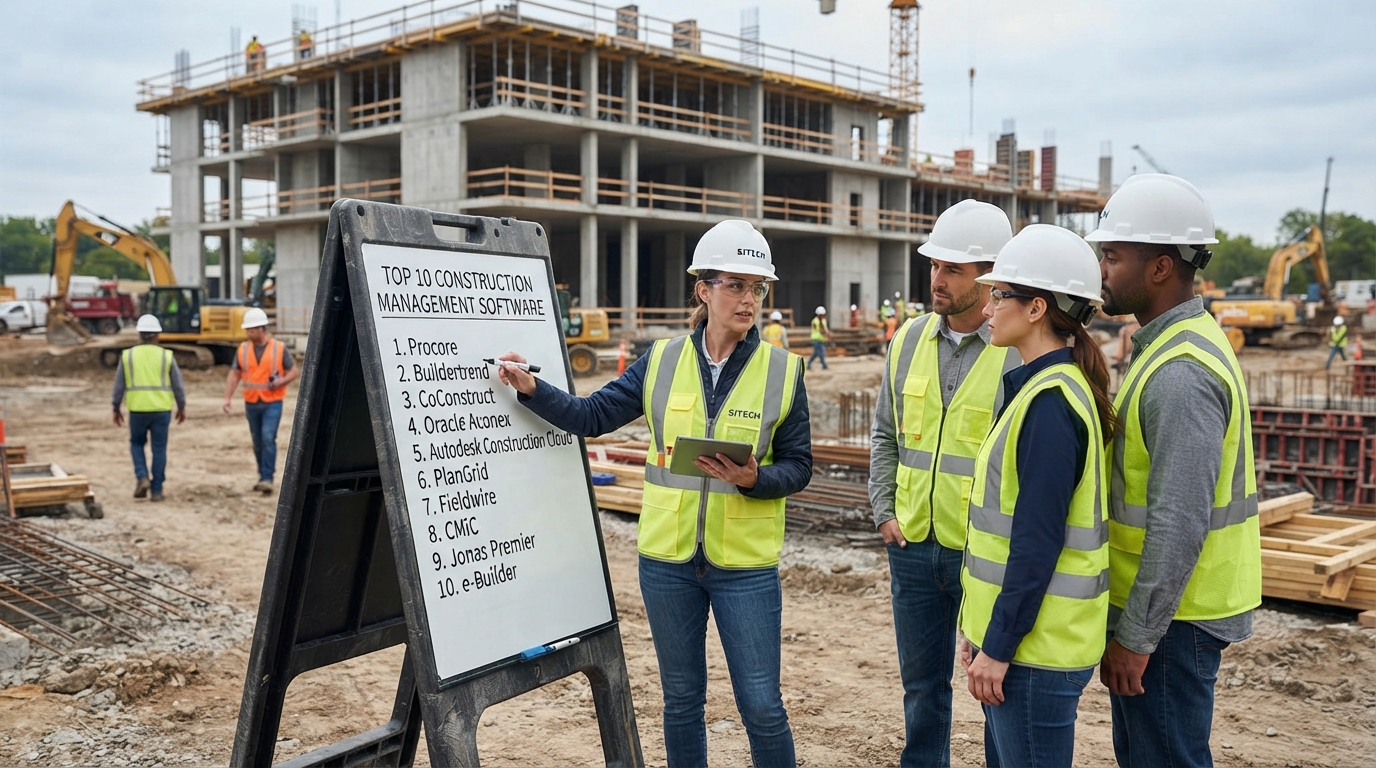
What are the top 10 construction management software? Construction companies have many options for managing projects, schedules, budgets, documents, field operations, communication, and job costs. Some platforms are designed for large commercial general contractors, while others focus on residential builders, specialty contractors, heavy civil companies, or field teams.
Thank you for reading this post, don't forget to subscribe!Thank you for reading this post, don't forget to subscribe!Among the most notable construction management platforms in 2026 are Procore, Autodesk Construction Cloud, Buildertrend, Fieldwire, Contractor Foreman, HCSS, Sage Construction Management, Raken, Oracle Primavera, and Houzz Pro.
These platforms should not be viewed as interchangeable. For example, Procore focuses heavily on connected construction project management, Autodesk combines construction management with design and BIM workflows, Buildertrend focuses strongly on builders and remodelers, HCSS is particularly focused on heavy civil and infrastructure, while Raken and Fieldwire have strong field-management capabilities.
Therefore, the right construction management software depends on the type of construction business, project size, workflow, accounting requirements, field operations, and budget.
Quick Answer: What Are the Top 10 Construction Management Software?
| Software | Strong fit | Key capabilities |
|---|---|---|
| Procore | Commercial contractors and larger construction organizations | Project management, cost management, documents, RFIs, BIM, resources |
| Autodesk Construction Cloud | Design-to-build and BIM-focused organizations | Document management, BIM, issues, project collaboration, analytics |
| Buildertrend | Home builders, remodelers, and residential contractors | Scheduling, budgeting, client communication, change orders, financial workflows |
| Fieldwire | Field teams and jobsite coordination | Plans, tasks, punch lists, inspections, reports, field communication |
| Contractor Foreman | Small and midsize contractors | Project management, estimating, scheduling, documents, time tracking |
| HCSS | Heavy civil and infrastructure contractors | Estimating, operations, job costing, fleet, time tracking, reporting |
| Sage Construction Management | Growing contractors needing project and financial management | Estimating, bids, contracts, project management, job costing, financial visibility |
| Raken | Field reporting and workforce visibility | Daily reports, time tracking, production, safety, documents |
| Oracle Primavera | Large and complex construction programs | Scheduling, planning, resource management, project controls |
| Houzz Pro | Builders, remodelers, and design-build companies | Estimates, takeoffs, scheduling, project management, client communication |
This is a researched shortlist rather than a universal ranking. Construction management software varies significantly by contractor type, project complexity, and workflow.
1. Procore
Procore is a construction management platform designed to connect construction teams, project information, financial data, and field operations.
Procore says its platform has supported more than 3 million global projects, while its product pages currently report more than 15,700 teams using the platform. Its capabilities include project execution, cost management, resource management, project lifecycle management, bidding, budgeting, BIM, contract management, and analytics.
Key Procore Features
- Construction project management
- Cost management
- Budget management
- Bid management
- Contract management
- Document management
- BIM workflows
- Resource management
- Project analytics
- Field-to-office collaboration
- Construction-focused AI capabilities
Procore is particularly relevant when a construction company needs a centralized system connecting office and field teams across complex projects.
Who Should Consider Procore?
Procore is generally relevant to commercial general contractors, specialty contractors, owners, and larger construction organizations that need broad project-management and financial capabilities.
For smaller contractors, the breadth of the platform may be more than necessary if the primary requirement is simple scheduling, daily reporting, or time tracking.
2. Autodesk Construction Cloud
Autodesk Construction Cloud brings construction management capabilities into Autodesk's broader design and construction technology ecosystem.
The platform is particularly relevant to organizations managing workflows between design, BIM, documentation, field execution, and project delivery. Autodesk's current customer stories include general contractors, engineering organizations, infrastructure companies, and specialized construction firms using its technology for project coordination, cost governance, installation efficiency, and digital engineering.
Key Autodesk Construction Cloud Capabilities
- Construction document management
- Drawing management
- BIM collaboration
- Issue tracking
- Project coordination
- Field management
- Construction analytics
- Design-to-build workflows
- Project information management
Autodesk is particularly relevant when construction teams already depend on Autodesk design and engineering products and want to connect design information with construction workflows.
Who Should Consider Autodesk Construction Cloud?
It can be a strong fit for general contractors, construction managers, designers, engineers, and organizations working on complex projects where BIM, drawings, documentation, and field coordination are important.
3. Buildertrend
Buildertrend is construction management software focused heavily on builders, remodelers, residential contractors, and other construction businesses that need to connect project management with business operations and customer communication.
Buildertrend reports more than 1 million construction professionals served, more than 2 million projects completed in the platform, and more than 1.5 million mobile app downloads. The company also says it serves more than 20,000 builders.
Buildertrend Features
- Project scheduling
- Estimating
- Budgeting
- Job costing
- Change orders
- Daily logs
- Punch lists
- Client communication
- Financial workflows
- Mobile project management
- AI-powered workflows
Buildertrend is especially relevant for residential construction businesses that need to keep project teams and clients informed throughout the building process.
Who Should Consider Buildertrend?
Home builders, remodelers, residential contractors, and commercial builders looking for an integrated project-management platform can evaluate Buildertrend.
4. Fieldwire
Fieldwire takes a field-first approach to construction management. The platform focuses on giving foremen, superintendents, engineers, and other field personnel access to plans, tasks, punch lists, inspections, and project information.
Fieldwire currently reports that its platform powers more than 4 million projects worldwide. Its customer examples include large infrastructure, healthcare, residential, commercial, industrial, and specialty construction projects.
Fieldwire Features
- Plan management
- Task management
- Punch lists
- Inspections
- Quality control
- Field reports
- Real-time communication
- Photos and documentation
- Mobile jobsite management
- Location-based tasks
Fieldwire can be particularly useful for companies that need to keep field teams working from current drawings and organized task lists rather than relying heavily on paper, email, and disconnected spreadsheets.
Who Should Consider Fieldwire?
General contractors, specialty contractors, subcontractors, engineers, and field-heavy construction teams can consider Fieldwire when jobsite coordination is a major priority.
5. Contractor Foreman
Contractor Foreman is a construction management platform aimed at contractors that want multiple project-management functions in one system.
The platform is commonly considered by small and midsize contractors because it combines functions that might otherwise require several separate applications.
Contractor Foreman Features
- Project management
- Scheduling
- Estimating
- Time tracking
- Daily logs
- Documents
- Work orders
- Invoicing
- Change orders
- Client management
The broad feature set can make this category of software attractive to contractors that want to consolidate administrative and project-management processes.
Who Should Consider Contractor Foreman?
Small and midsize general contractors and specialty contractors can evaluate Contractor Foreman when they need project management, scheduling, estimating, documentation, and administrative tools without adopting a large enterprise construction platform.
6. HCSS
HCSS is particularly focused on heavy civil, infrastructure, utility, and field-intensive construction operations.
HCSS currently reports that more than 4,000 heavy civil and infrastructure contractors use its software. Its platform covers estimating, operations, fleet management, data and reporting, project management, job costing, time tracking, equipment, safety, and resource planning.
HCSS Features
- Estimating and bidding
- Heavy civil project management
- Job costing
- Daily logs
- Time tracking
- Equipment management
- Fleet management
- Safety management
- Production tracking
- Budget and forecasting
- Resource planning
- Reporting and analytics
HCSS also provides integrations for accounting systems and connects project, payroll, cost, equipment, and field data.
Who Should Consider HCSS?
Heavy civil contractors, infrastructure contractors, utility contractors, transportation contractors, and companies with significant equipment and production-tracking requirements should consider HCSS when evaluating construction management systems.
7. Sage Construction Management
Sage Construction Management combines construction project management with estimating, financial visibility, contracts, job costing, procurement, invoicing, and other business processes.
Sage says more than 50,000 construction businesses rely on its construction software portfolio. Its broader construction offering covers general contractors, specialty contractors, home builders, real estate developers, and heavy civil organizations.
Sage Construction Management Features
- Lead and bid management
- Estimating
- Project management
- Contract management
- Job costing
- Purchase orders
- Procurement
- Invoicing
- Timecards
- Project collaboration
- Financial visibility
One of Sage's key differentiators is the connection between construction operations and financial information.
Who Should Consider Sage Construction Management?
Growing contractors that want project-management functionality connected closely with estimating, job costing, contracts, purchasing, and financial workflows can evaluate Sage Construction Management.
This can be particularly relevant for companies looking to move beyond basic accounting software and create a more connected construction-management environment.
8. Raken
Raken is a field-first construction management platform focused on capturing accurate information from jobsites and making it available to office teams.
Raken supports daily reports, time tracking, production tracking, safety, quality, document management, photos, and project reporting.
Raken Features
- Daily construction reports
- Time tracking
- Time cards
- Production tracking
- Safety management
- Quality workflows
- Photos and videos
- Document management
- Cost-code tracking
- Project reporting
- AI-assisted daily report summaries
Raken's daily reporting tools can capture work logs, notes, photos, time, safety information, cost codes, materials, and equipment from the field.
Who Should Consider Raken?
General contractors, subcontractors, and specialty contractors that need better field reporting and real-time jobsite visibility can evaluate Raken.
It can also be relevant when the biggest problem is not the absence of project-management software but the lack of reliable information flowing from the jobsite to the office.
9. Oracle Primavera
Oracle Primavera is widely associated with project planning, scheduling, resource management, and project controls for complex projects.
Unlike simpler contractor-management platforms, Primavera is particularly relevant to organizations managing large programs where detailed schedules, dependencies, resources, and project controls are critical.
Primavera Is Commonly Associated With:
- Construction scheduling
- Project planning
- Resource management
- Schedule analysis
- Project controls
- Large program management
- Progress monitoring
- Risk and schedule management
For a small contractor managing a handful of residential projects, a specialized contractor-management platform may provide a simpler workflow. For large infrastructure and complex construction programs, advanced scheduling and project controls can become much more important.
Who Should Consider Primavera?
Large contractors, engineering organizations, infrastructure companies, project-management teams, and organizations managing complex multi-phase programs can consider Primavera when advanced planning and scheduling are central requirements.
10. Houzz Pro
Houzz Pro is a construction and business-management platform designed for contractors, builders, remodelers, and design professionals.
Houzz says more than 3 million contractors and design professionals are part of its network. Its software includes project management, estimates, takeoffs, scheduling, client communication, and other business tools.
Houzz Pro Features
- Construction project management
- Estimates
- Quantity takeoffs
- Scheduling
- Client communication
- Selections
- 3D floor plans
- Business management
- Mobile workflows
- AI-supported tools
Houzz Pro can be particularly relevant to residential builders, remodelers, design-build companies, and contractors that want project management combined with customer-facing and business-development tools.
Construction Management Software Comparison
| Software | Project Management | Job Costing | Field Management | Scheduling | Best Fit |
|---|---|---|---|---|---|
| Procore | Yes | Yes | Yes | Yes | Commercial and larger contractors |
| Autodesk Construction Cloud | Yes | Yes / integrations | Yes | Yes | BIM and design-to-build workflows |
| Buildertrend | Yes | Yes | Yes | Yes | Residential builders and remodelers |
| Fieldwire | Yes | Limited / workflow dependent | Strong | Yes | Field teams and jobsite coordination |
| Contractor Foreman | Yes | Yes | Yes | Yes | Small and midsize contractors |
| HCSS | Yes | Strong | Strong | Yes | Heavy civil and infrastructure |
| Sage Construction Management | Yes | Strong | Yes | Yes | Growing construction businesses |
| Raken | Yes | Cost-code tracking | Strong | Yes | Field reporting and production tracking |
| Oracle Primavera | Yes | Project-controls dependent | Integration dependent | Strong | Large and complex programs |
| Houzz Pro | Yes | Yes | Yes | Yes | Builders and remodelers |
Capabilities vary by product edition, module, integration, and subscription. Always verify the current feature set before purchasing.
How to Choose Construction Management Software
Choosing construction management software should begin with the company's workflow rather than the number of features listed on a vendor website.
1. Identify Your Construction Business Type
A residential remodeler may need a very different system from a highway contractor or a commercial general contractor.
Start by identifying whether your company is primarily:
- Residential construction
- Commercial construction
- General contracting
- Specialty contracting
- Heavy civil construction
- Infrastructure construction
- Home building
- Design-build
- Government contracting
2. Determine Whether You Need Job Costing
Project management and job costing are not the same thing.
Project management tells your team what needs to happen. Job costing helps you understand what the work is actually costing.
If profitability is a major concern, look for software that can connect budgets, labor, materials, equipment, subcontractors, purchase orders, change orders, and actual costs.
See our guide to best job costing software for construction for a deeper look at this category.
3. Evaluate Field Management
Construction software is only useful when field teams actually use it.
Check whether workers and supervisors can access the system from phones and tablets, upload photos, complete daily reports, view drawings, update tasks, record time, and communicate with the office.
Fieldwire and Raken, for example, place significant emphasis on field-based workflows.
4. Check Accounting Integration
If your construction management platform does not connect with accounting, employees may end up entering the same information more than once.
Look for integrations or native connections with your accounting and payroll systems.
Our guide to construction accounting software covers the accounting side of construction technology in more detail.
5. Review Payroll and Labor Tracking
Labor is one of the most important costs on a construction project.
Construction management software should therefore be evaluated alongside payroll and time-tracking requirements.
If your company needs construction-specific payroll capabilities, see our construction payroll software guide.
6. Consider Certified Payroll Requirements
Government contractors may have additional payroll and reporting requirements.
If your projects involve applicable federal prevailing-wage requirements, evaluate whether your technology stack can support certified payroll reporting, wage classifications, fringe benefits, and required documentation.
Read our guide to certified payroll software and our explanation of Form WH-347.
Construction Management Software vs. Construction Accounting Software
These categories overlap, but they are not identical.
Construction management software generally focuses on managing projects, people, documents, schedules, tasks, field activity, communication, and project execution.
Construction accounting software focuses more heavily on financial management, job costing, accounts payable, accounts receivable, payroll, billing, and financial reporting.
Some modern construction platforms combine both categories, while others depend on integrations.
For a growing contractor, the ability to connect the two systems can be more important than choosing a platform based solely on its project-management features.
Why Job Costing Matters in Construction Management
One of the biggest differences between general project-management software and construction-specific software is the treatment of job costs.
Construction companies need to know whether the money being spent on labor, materials, equipment, subcontractors, and other costs is consistent with the project budget.
A project may appear to be on schedule while still losing money because labor costs are running above budget.
This is why contractors evaluating construction management software should look for connections between:
- Project budgets
- Labor hours
- Payroll
- Equipment
- Materials
- Purchase orders
- Subcontractors
- Change orders
- Invoices
- Actual job costs
What Is the Best Construction Management Software for Small Contractors?
There is no universal answer because “small contractor” covers many different business models.
A small residential builder may prioritize estimating, client communication, selections, scheduling, and change orders. A small electrical contractor may care more about work orders, time tracking, documents, and field communication. A small civil contractor may need job costing, production tracking, equipment management, and detailed daily reporting.
Platforms such as Contractor Foreman, Buildertrend, Houzz Pro, Fieldwire, and Raken can therefore be worth evaluating depending on the workflow.
The key is to match the software's core strengths with the company's actual operational bottlenecks.
What Is the Best Construction Management Software for Large Contractors?
Large contractors typically have more complicated requirements involving multiple projects, users, subcontractors, documents, contracts, budgets, schedules, field teams, and reporting systems.
Platforms such as Procore, Autodesk Construction Cloud, HCSS, Sage Construction Management, and Oracle Primavera can be evaluated for these more complex environments, depending on the type of construction and required workflows.
Large infrastructure projects may place greater emphasis on scheduling, project controls, equipment, production, and cost management, while commercial building projects may emphasize documents, RFIs, submittals, BIM, contracts, and collaboration.
Frequently Asked Questions
What are the top 10 construction management software?
Ten notable construction management platforms in 2026 are Procore, Autodesk Construction Cloud, Buildertrend, Fieldwire, Contractor Foreman, HCSS, Sage Construction Management, Raken, Oracle Primavera, and Houzz Pro. They serve different segments, so the list should be treated as a research shortlist rather than a universal ranking.
What is the most popular construction management software?
There is no single reliable global statistic that identifies one construction management platform as the most popular across every contractor type and geographic market. Customer counts, project counts, market share, and software usage are measured differently by different companies.
What construction management software is best for general contractors?
General contractors can evaluate platforms such as Procore, Autodesk Construction Cloud, Sage Construction Management, Fieldwire, Buildertrend, and Contractor Foreman. The appropriate option depends on project size, document requirements, cost management, field operations, accounting integrations, and budget.
What construction management software is best for residential builders?
Residential builders and remodelers can evaluate Buildertrend and Houzz Pro, among other construction platforms. These systems include capabilities around estimating, scheduling, project management, client communication, and financial workflows.
What construction management software is best for heavy civil contractors?
Heavy civil and infrastructure contractors should evaluate platforms designed around estimating, production, job costing, equipment, resource management, and field operations. HCSS is specifically focused on heavy civil and infrastructure contractors and reports more than 4,000 contractors using its software.
Does construction management software include payroll?
Some construction platforms include time tracking, labor-cost information, or payroll integrations, but construction management software and payroll software are separate categories. Contractors should verify whether a platform handles payroll directly or connects with a dedicated payroll system.
Does construction management software include job costing?
Some platforms include job costing or project financial management. HCSS, Sage Construction Management, Procore, Buildertrend, and other construction platforms offer financial or cost-management capabilities, although the exact functionality differs by product and plan.
Can construction management software replace spreadsheets?
Construction management software can replace many spreadsheet-based workflows, including scheduling, daily reporting, document management, task tracking, cost tracking, and field communication. However, the success of implementation depends on whether the software fits the company's processes and whether field and office teams consistently use it.
Final Takeaway
The top 10 construction management software platforms in 2026 include Procore, Autodesk Construction Cloud, Buildertrend, Fieldwire, Contractor Foreman, HCSS, Sage Construction Management, Raken, Oracle Primavera, and Houzz Pro.
But there is an important qualification: these platforms are not identical products competing for exactly the same customer.
Procore and Autodesk are highly relevant to complex construction and design-to-build workflows. Buildertrend and Houzz Pro are particularly relevant to builders and remodelers. Fieldwire and Raken focus heavily on field execution and jobsite data. HCSS is strongly oriented toward heavy civil and infrastructure. Sage combines construction management with financial and operational workflows, while Oracle Primavera is particularly relevant to advanced scheduling and project controls.
For contractors, the most useful comparison therefore starts with the company's actual workflow.
Before selecting construction management software, evaluate project management, job costing, scheduling, field reporting, time tracking, accounting integration, payroll, document management, estimating, change orders, and compliance requirements.
If the primary goal is improving construction profitability, also look closely at how the platform connects project activity with actual labor, material, equipment, subcontractor, and payroll costs.
Explore our construction payroll software directory to continue researching construction technology for payroll, accounting, labor management, and project operations.
Research & Sources
- Procore: Official platform information covering project execution, cost management, resources, project lifecycle management, analytics, BIM, and current project/team figures.
- Autodesk Construction Cloud: Official Autodesk customer information covering construction management, digital engineering, project coordination, and construction workflows.
- Buildertrend: Official company information covering its construction professionals served, projects completed, mobile adoption, scheduling, financial workflows, and AI capabilities.
- Fieldwire by Hilti: Official product and customer information covering field management, plans, tasks, inspections, reporting, collaboration, and more than 4 million projects.
- HCSS: Official product information covering heavy civil and infrastructure construction, estimating, operations, fleet, job costing, time tracking, project management, and reporting.
- Sage: Official construction information covering estimating, bids, project management, job costing, contracts, procurement, financial workflows, and its construction customer base.
- Raken: Official product and help documentation covering daily reporting, time tracking, production, safety, documents, cost codes, and field-to-office reporting.
- Houzz Pro: Official product information covering construction project management, estimates, takeoffs, scheduling, client communication, mobile workflows, and its contractor/design-professional network.
- G2: Current 2026 construction project-management software research used as a secondary market reference for identifying notable platforms and use cases.
Research methodology note: Software capabilities, customer counts, pricing, and product packaging can change. This article prioritizes current first-party vendor information where available and uses independent software research as a secondary source. Vendor-reported customer numbers and performance claims are identified as such and should not automatically be interpreted as independent market-share measurements.