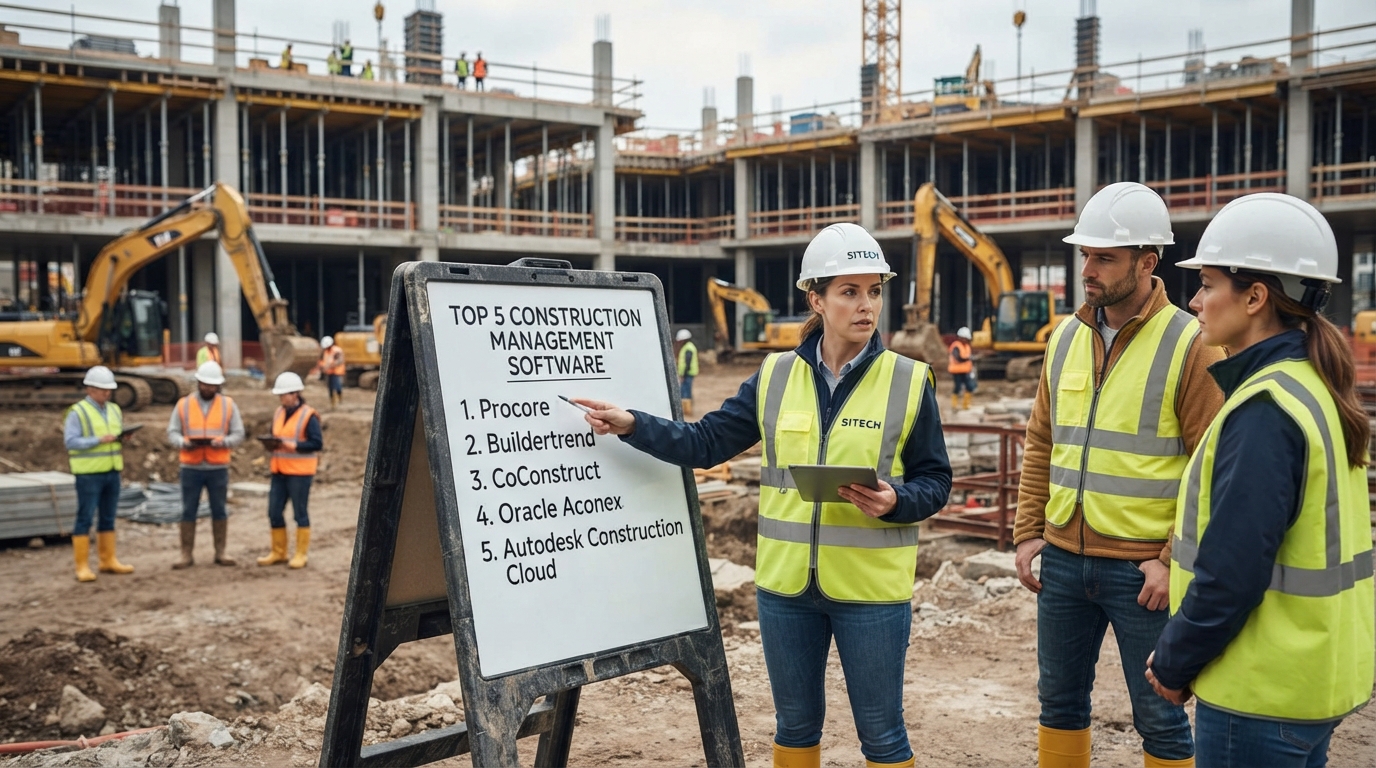
What are the top 5 construction management software platforms? Five widely considered options for different construction workflows are Procore, Autodesk Forma (formerly Autodesk Construction Cloud), Buildertrend, Contractor Foreman, and Fieldwire. They are not interchangeable: Procore is built around broad construction project and financial workflows, Autodesk Forma connects design and construction workflows, Buildertrend focuses heavily on builders and remodelers, Contractor Foreman targets contractors seeking a broad all-in-one system, and Fieldwire emphasizes field coordination, plans, tasks and jobsite execution.
Thank you for reading this post, don't forget to subscribe!Thank you for reading this post, don't forget to subscribe!There is no single construction management platform that is automatically the right choice for every contractor. A residential builder managing client selections has different requirements from a commercial general contractor managing RFIs, submittals, budgets and complex subcontractor workflows. A specialty contractor may care more about drawings, field tasks and mobile documentation than enterprise financial management.
This guide compares the five platforms by project type, company size, field requirements, document management, scheduling, financial management, collaboration, integrations, pricing approach and implementation complexity.

What Are the Top 5 Construction Management Software?
The five construction management software platforms covered in this guide are:
- Procore — broad construction project management, financial management, field operations and project lifecycle workflows.
- Autodesk Forma — formerly Autodesk Construction Cloud, with strong design, BIM, document, model coordination and construction management workflows.
- Buildertrend — construction management focused heavily on home builders, remodelers and client-facing workflows.
- Contractor Foreman — broad construction management functionality for contractors, including project management, estimating, scheduling, financial workflows and field tools.
- Fieldwire — field-focused construction management centered on drawings, tasks, punch lists, inspections, forms and jobsite coordination.
These five are useful starting points because they represent different approaches to construction management software rather than five identical products.
If you manage complex commercial projects, you may need deep project, financial and collaboration workflows. If you work primarily in residential construction, client communication and selections may matter more. If your biggest problem is field coordination, drawings, tasks and punch lists, a field-first platform may be more appropriate.
What Does "Top Construction Management Software" Actually Mean?
The phrase "top construction management software" does not necessarily mean the software with the largest number of features.
Construction software should be evaluated against the actual workflow of the company using it.
For example, a small roofing contractor may not need enterprise-level portfolio management. A large general contractor managing hospitals, universities or infrastructure projects may need advanced document control, financial management, subcontractor workflows and extensive integrations.
That means software selection should consider:
- Project type — residential, commercial, infrastructure, industrial or specialty trade.
- Company size — number of employees, projects and field users.
- Project complexity — simple jobs versus large multi-party projects.
- Field adoption — whether foremen and site teams can actually use the platform.
- Document requirements — drawings, specifications, RFIs, submittals and revisions.
- Financial requirements — budgets, commitments, costs, forecasting and job costing.
- Integration requirements — accounting, ERP, BIM, CRM, payroll and other systems.
- Pricing model — per user, project, module, annual construction volume or custom quote.
- Implementation — training, configuration, migration and support.
The objective is to identify the platform that fits the company's workflow rather than choosing software simply because it appears frequently in search results.
Top 5 Construction Management Software Comparison
| Software | Primary strength | Typical use case | Key capabilities | Pricing approach |
|---|---|---|---|---|
| Procore | Broad construction project and financial management | Commercial GCs, specialty contractors and complex projects | Project management, RFIs, submittals, cost management, quality, safety, financials and integrations | Custom / project and company requirements |
| Autodesk Forma | Design-to-construction and BIM-connected workflows | Commercial, design-build and teams using Autodesk workflows | Document management, BIM/model coordination, RFIs, submittals, cost management and project management | Module / user / configuration dependent |
| Buildertrend | Residential construction and client management | Home builders, remodelers and residential contractors | Scheduling, estimating, budgeting, client communication, change orders and project management | Subscription / plan dependent |
| Contractor Foreman | Broad all-in-one contractor workflow | Small and mid-sized contractors | Project management, scheduling, estimates, time cards, cost codes, forms, financial tools and field workflows | Subscription; published plans |
| Fieldwire | Field coordination and plan-based task management | Trade contractors, GCs, superintendents and field teams | Plans, tasks, punch lists, inspections, forms, reports and mobile field coordination | Free tier plus paid per-user plans |
Feature availability and pricing can vary by plan, region, contract and product configuration. Always verify current commercial terms with the vendor before purchasing.
1. Procore
Procore is a broad construction management platform designed to connect construction teams across project planning, execution, financial management and closeout.
Its current platform includes project execution, cost management, resource management and project lifecycle management. Procore also provides tools for areas such as bid management, BIM, contracts, budgets, quality, safety, analytics and financial workflows.
The platform is therefore positioned toward organizations that want many construction workflows connected rather than maintaining separate systems for every project activity.
Key Procore Features
- Construction project management
- RFIs and submittals
- Document and drawing workflows
- Budget and cost management
- Quality and safety management
- Bid management
- BIM capabilities
- Resource management
- Project financial management
- Analytics and reporting
- Integrations
Procore says its platform has been used on more than 3 million global projects and provides capabilities spanning project execution, cost management and resource management. View Procore's current platform information.
Who Should Consider Procore?
- Commercial general contractors
- Large specialty contractors
- Owners managing complex capital projects
- Organizations with multiple project teams
- Companies needing extensive integrations
- Teams requiring detailed project and financial workflows
Potential Limitation
A broad enterprise-oriented platform can be more than a small contractor needs. The implementation effort, training requirements and commercial structure should be evaluated against the size and complexity of the business.
2. Autodesk Forma (Formerly Autodesk Construction Cloud)
Autodesk Forma is Autodesk's construction platform, with Autodesk Construction Cloud now incorporated into the Forma product family.
The platform connects construction workflows with design, documents, BIM and project management.
Autodesk describes capabilities including document management, bid management, model coordination, project management and AI-powered workflows.
Key Autodesk Forma Capabilities
- Document management
- Bid management
- Model coordination
- Project management
- RFIs
- Submittals
- Daily reports
- Cost management
- Quality management
- Safety workflows
- BIM and model workflows
- Project closeout
Autodesk says its construction platform is used on more than 2 million projects and offers more than 400 pre-built integrations for ERP, CRM, document management and analytics systems. See Autodesk's current construction platform.
Who Should Consider Autodesk Forma?
- Commercial construction teams
- Design-build firms
- BIM-heavy projects
- Organizations already using Autodesk products
- Teams requiring model coordination
- Projects where design and construction data must remain connected
Potential Limitation
Teams that do not use BIM or Autodesk's broader ecosystem may not need every capability offered by the platform. Implementation should be matched to actual project requirements.
3. Buildertrend
Buildertrend is a construction management platform with a strong focus on home builders, remodelers and client-facing construction workflows.
The platform brings together areas such as scheduling, financial management, client communication, proposals, change orders, daily logs and punch lists.
Buildertrend says its platform is used by more than 20,000 builders and supports home builders, remodelers, commercial builders and trade contractors.
Key Buildertrend Features
- Construction scheduling
- Estimating
- Budget management
- Change orders
- Daily logs
- Punch lists
- Client communication
- Project financial workflows
- Lead and sales workflows
- Document sharing
The platform emphasizes connecting scheduling, financials and client communication in one system. View Buildertrend's current platform.
Who Should Consider Buildertrend?
- Custom home builders
- Residential builders
- Remodelers
- Design-build companies
- Construction companies that need strong client communication
Potential Limitation
Companies focused primarily on large commercial or infrastructure projects should compare its workflows against platforms designed specifically for complex commercial project environments.
4. Contractor Foreman
Contractor Foreman is an all-in-one construction management platform aimed at contractors.
Its feature set includes project management, estimates, scheduling, financial workflows, forms, time cards and field-oriented tools.
Contractor Foreman's time-card functionality includes GPS clock-in and clock-out, overtime tracking and project-based cost codes, which can be useful for contractors that need to connect labor information to projects.
Key Contractor Foreman Features
- Project management
- Scheduling
- Estimating
- Time cards
- GPS time tracking
- Project cost codes
- Forms and checklists
- Financial management
- Invoicing
- Project documents
- Task management
- Field workflows
Contractor Foreman states that its plans provide unlimited users, projects and features, with published plans starting at $49 per month. Verify the current plan structure before purchasing because pricing and included features can change. View Contractor Foreman.
Who Should Consider Contractor Foreman?
- Small contractors
- Growing construction companies
- General contractors
- Specialty contractors
- Companies seeking a broad contractor-focused system
- Businesses moving away from spreadsheets and disconnected tools
Potential Limitation
A contractor should verify whether the platform's financial, accounting, BIM, document-control and integration capabilities meet the requirements of larger or highly specialized projects.
5. Fieldwire
Fieldwire by Hilti is strongly oriented toward field execution and jobsite coordination.
Its core workflows include plan viewing, task management, inspections, punch lists, forms, reports and field communication.
Fieldwire's published plans include a free tier and paid tiers with additional functionality. Current published pricing information from Fieldwire lists paid plans from $39 per user per month when billed annually, with higher tiers adding features such as forms, integrations, BIM viewing, RFIs, submittals and change orders.
Key Fieldwire Features
- Plan viewing
- Drawing management
- Plan markup
- Task management
- Punch lists
- Inspections
- Custom forms
- Daily reporting
- Mobile field access
- Photo documentation
- RFIs and submittals on higher plans
- Change-order workflows on higher plans
Fieldwire describes its platform as jobsite management software designed to help teams plan jobsites, track tasks, complete checklists and communicate from mobile devices. View Fieldwire's construction management platform.
Who Should Consider Fieldwire?
- Trade contractors
- Specialty contractors
- Superintendents
- Foremen
- Field-heavy construction teams
- Companies primarily needing plan and task coordination
Potential Limitation
Fieldwire's field-first approach may not replace a full accounting, ERP or enterprise financial system for contractors that require deep project financial management.
Which Construction Management Software Fits Different Use Cases?
For Large Commercial General Contractors
Large commercial contractors typically need more than task lists and schedules. They may require RFIs, submittals, budgets, commitments, change management, document control, quality, safety, reporting and financial integration.
Procore and Autodesk Forma are particularly relevant categories to investigate for these environments because both provide broad construction project-management capabilities.
For Residential Builders
Residential builders often need scheduling, estimating, budgets, selections, client communication, change orders and warranty-related workflows.
Buildertrend is specifically positioned toward home builders and remodelers, making it a platform worth evaluating for this workflow.
For Small and Mid-Sized Contractors
Smaller contractors may need a broad collection of tools without adopting an enterprise implementation process.
Contractor Foreman is designed around contractor workflows and offers project, estimating, scheduling, time and financial functionality in one platform.
For Field-First Construction Teams
If the biggest operational problem is outdated drawings, unclear task ownership, incomplete punch lists or poor field documentation, field-first software may be more relevant than a large financial platform.
Fieldwire focuses heavily on plans, tasks, inspections, forms and field communication.
For BIM-Heavy Projects
When BIM coordination is central to project delivery, the construction platform needs to support models and design data rather than treating construction management as a separate spreadsheet-based activity.
Autodesk Forma is particularly relevant for teams already working deeply within Autodesk's design and construction ecosystem.
Construction-Specific Requirements to Look For
Construction management software is different from ordinary project-management software because construction projects involve physical work, drawings, contracts, site teams, subcontractors, inspections, materials, budgets and constantly changing field conditions.
1. Drawing and Document Management
The system should make it easy to store, distribute, review and update drawings, specifications, contracts, reports and other project documents.
Version control is particularly important because construction teams can create serious problems when field workers rely on outdated drawings.
2. RFIs
Requests for information should be created, assigned, tracked and closed within a controlled workflow.
3. Submittals
Submittal workflows help project teams manage product data, shop drawings, samples and approvals.
4. Change Orders
Construction projects frequently encounter scope changes.
Software should allow teams to document changes, track approvals and connect approved changes to financial information.
5. Scheduling
Look for scheduling capabilities that match the complexity of your projects.
Depending on the company, this could mean simple task scheduling, Gantt charts, look-ahead planning, resource scheduling or integration with more advanced scheduling systems.
6. Job Costing
Construction management software should provide visibility into the relationship between estimated, committed and actual costs where financial management is part of the platform.
Read our guide to construction accounting software with job costing for a deeper explanation of project financial workflows.
7. Field Reporting
Daily reports can capture:
- Work completed
- Labor
- Equipment
- Materials
- Weather
- Visitors
- Safety incidents
- Photos
- Delays
- Site conditions
8. Mobile and Offline Access
Construction sites do not always have reliable connectivity.
A field application should therefore be evaluated for offline functionality, mobile usability and synchronization.
9. Quality and Safety
Construction management platforms may include inspections, safety observations, checklists, incidents, punch lists and quality documentation.
10. Accounting and Payroll Integration
Construction management should not operate as an isolated island.
Where possible, project management should connect with accounting, payroll, time tracking and job-cost systems.
This is particularly important when the contractor needs to understand how labor hours and payroll expenses affect project profitability.
See our guide to what construction payroll software is for more information about the payroll side of the construction technology stack.
How Much Does Construction Management Software Cost?
Construction management software pricing varies widely because vendors use different pricing structures.
Some products publish per-user pricing. Others use subscription tiers, project-based pricing, annual construction volume, modules or custom quotations.
| Pricing model | How it works | What to watch for |
|---|---|---|
| Per-user | You pay according to the number of users. | Costs can rise as field and office teams grow. |
| Flat subscription | A recurring fee covers a defined set of users or capabilities. | Check user and feature limits. |
| Tiered subscription | Higher plans provide additional capabilities. | Important construction features may sit in higher tiers. |
| Custom quote | Vendor prices the platform according to company and project requirements. | Request a complete implementation and recurring-cost estimate. |
| Annual construction volume | Pricing can be associated with the contractor's construction volume and selected products. | Compare total annual cost rather than a monthly headline price. |
| Module-based | Companies purchase individual functional modules. | Required capabilities may increase total cost. |
Current market comparisons show substantial differences in pricing transparency. Fieldwire publishes several per-user tiers, while Procore uses a custom commercial structure and Contractor Foreman publishes subscription pricing. Autodesk and Buildertrend can also vary by configuration and plan.
Calculate the Total Cost of Ownership
Do not compare only the subscription price.
Include:
- Subscription fees
- User licenses
- Implementation
- Training
- Data migration
- Integrations
- Accounting software
- Payroll integration
- API costs
- Premium support
- Additional modules
- Hardware requirements
- Internal administration time
Construction Management Software Selection Checklist
Before purchasing any platform, answer these questions.
| Question | Yes / No |
|---|---|
| Does the software support our type of construction? | ☐ |
| Can field teams use it easily on mobile devices? | ☐ |
| Can we manage drawings and revisions? | ☐ |
| Does it support RFIs? | ☐ |
| Does it support submittals? | ☐ |
| Can we manage change orders? | ☐ |
| Does it provide scheduling? | ☐ |
| Does it support daily reports? | ☐ |
| Does it support inspections and punch lists? | ☐ |
| Can it track project costs? | ☐ |
| Does it integrate with accounting? | ☐ |
| Does it integrate with payroll or time tracking? | ☐ |
| Does it support offline field workflows? | ☐ |
| Can users control access by role? | ☐ |
| Can we export our project data? | ☐ |
| Is the pricing predictable? | ☐ |
| What will implementation and training cost? | ☐ |
12 Questions to Ask During a Construction Software Demo
- How does the platform handle our typical project workflow?
- Can a foreman create a daily report from a mobile device?
- Can workers access current drawings from the field?
- How are drawing revisions controlled?
- How are RFIs created and approved?
- How are submittals tracked?
- How are change orders connected to budgets?
- Can employee time be connected to projects or cost codes?
- Which accounting systems can the platform integrate with?
- What happens when a user works without an internet connection?
- How long does implementation typically take for a company like ours?
- What is the complete annual cost including implementation, support and additional modules?
Common Mistakes When Choosing Construction Management Software
Choosing the Most Feature-Rich Platform
More features do not automatically create a better workflow.
If field workers cannot use the system quickly, the company may continue relying on WhatsApp messages, paper forms, spreadsheets and email even after purchasing expensive software.
Ignoring Field Adoption
Construction management software ultimately depends on accurate information from the field.
A system that works well in the office but is difficult to use on site can create incomplete data.
Ignoring Integrations
A construction company may already depend on accounting, payroll, estimating, BIM, CRM and document-management tools.
Before purchasing new software, map the systems that need to exchange data.
Comparing Only Monthly Prices
The subscription price does not necessarily represent the total cost.
Implementation, training, data migration, integrations and additional modules can materially change the total investment.
Not Running a Real Project Test
Whenever possible, test the software using an actual construction workflow.
For example:
- Upload a real drawing set.
- Create a project.
- Assign a field task.
- Create an RFI.
- Upload a daily report.
- Record an issue.
- Create a change order.
- Review the cost impact.
- Generate a project report.
This provides a much better understanding of the platform than watching a generic sales presentation.
Related Construction Software Resources
If you are comparing construction management software with payroll, accounting, job costing and other construction technology, these related resources can help.
Construction Payroll Software
Explore construction payroll software and related technology for contractors and construction companies.
What Is Construction Payroll Software?
Learn how construction payroll software differs from general payroll systems.
Construction Payroll
Understand construction payroll processes and the requirements contractors need to manage.
Construction Accounting Software With Job Costing
Explore the relationship between construction accounting, payroll labor and project-level job costing.
Payroll Software for Construction Companies
Compare payroll software options specifically for construction businesses.
Best Certified Payroll Software
Learn what contractors should evaluate when certified payroll reporting is part of the workflow.
Payroll Provider Selection Criteria
Use a structured framework when comparing payroll providers and construction payroll requirements.
Construction Software Directory
Explore construction software categories and platforms for different contractor workflows.
Frequently Asked Questions About Construction Management Software
What are the top 5 construction management software?
Five widely used options representing different construction workflows are Procore, Autodesk Forma, Buildertrend, Contractor Foreman and Fieldwire. They differ significantly in project focus, financial depth, field workflows, integrations and pricing structure.
What is construction management software?
Construction management software is technology used to plan, coordinate, document and manage construction projects. Depending on the platform, it can include scheduling, drawings, RFIs, submittals, daily reports, change orders, budgets, job costing, inspections, safety, communication and field management.
What is the most important feature of construction management software?
There is no single feature that is most important for every construction company. Commonly important capabilities include document management, scheduling, field reporting, task management, cost control, RFIs, submittals, change orders, mobile access and integrations.
Is Procore construction management software?
Yes. Procore provides construction project management software covering areas such as project execution, cost management, resource management, financial workflows, quality, safety and project lifecycle management.
What is Autodesk Construction Cloud called now?
Autodesk Construction Cloud is now part of Autodesk Forma. Autodesk's current construction platform includes capabilities such as document management, bid management, model coordination and project management.
Is Buildertrend construction management software?
Yes. Buildertrend is a construction management platform that supports workflows including scheduling, financial management, client communication, change orders, daily logs and project management.
Is Contractor Foreman good for small contractors?
Contractor Foreman is designed around contractor workflows and provides project management, estimating, scheduling, time tracking, financial tools, forms and other construction features. Small contractors should compare its actual capabilities and pricing with their own workflow before selecting it.
What is Fieldwire used for?
Fieldwire is used primarily for construction field coordination, including plan viewing, task management, inspections, punch lists, forms, reporting and communication between field and office teams.
How much does construction management software cost?
Pricing varies significantly. Some construction platforms use per-user pricing, while others use flat subscriptions, tiered plans, modules, project-based pricing or custom quotes. The total cost can also include implementation, training, integrations and additional modules.
Can construction management software replace accounting software?
Not necessarily. Some construction management platforms include financial management and job-costing features, but a contractor may still need dedicated accounting or ERP software. Integration between construction management and accounting systems can therefore be an important selection criterion.
Does construction management software include payroll?
Some construction platforms integrate with payroll or time-tracking systems, but construction management software and construction payroll software are not necessarily the same thing. Contractors should determine whether payroll processing, tax administration, certified payroll and labor-cost allocation are native features or handled through integrations.
Can construction management software track labor costs?
Some construction management platforms can track labor hours and connect them with projects, cost codes or financial reports. The exact capability depends on the platform and plan.
What construction software is best for residential builders?
Residential builders should compare platforms based on scheduling, estimating, budgeting, selections, client communication, change orders and warranty workflows. Buildertrend is one platform specifically positioned toward home builders and remodelers.
What construction software is best for field teams?
Field teams should evaluate software based on drawing access, plan markup, task assignment, offline functionality, inspections, punch lists, daily reporting and mobile usability. Fieldwire is specifically focused on these field-oriented workflows.
What should a contractor look for in construction management software?
A contractor should evaluate project type, field usability, drawing management, scheduling, RFIs, submittals, change orders, cost management, job costing, mobile access, accounting integrations, payroll or time integrations, security, reporting, implementation and total cost.
How do I choose construction management software?
Start by documenting your current construction workflow and identifying the problems the software must solve. Then create a requirements checklist, shortlist compatible platforms, run demonstrations using real project scenarios, calculate total cost and test field usability before making a final decision.
Compare Construction Software Before You Buy
Construction management software should connect the work happening in the field with the information needed by project managers, estimators, accountants, payroll teams and company leadership.
Whether you need project management, job costing, construction payroll, certified payroll or accounting integration, start by defining the workflow your company actually needs.
Explore construction software resources for contractors and construction companies.
Explore Construction Payroll Software
You can also explore our construction accounting and job-costing resources or learn what construction payroll software does.
Bottom Line: The Top 5 Construction Management Software Options
Procore, Autodesk Forma, Buildertrend, Contractor Foreman and Fieldwire represent five different approaches to construction management software.
Procore provides broad construction project and financial workflows. Autodesk Forma connects construction management with design, BIM and model coordination. Buildertrend focuses heavily on residential construction and client-facing workflows. Contractor Foreman provides a broad contractor-oriented platform. Fieldwire concentrates on field coordination, drawings, tasks and jobsite execution.
The right selection depends on your construction type, project complexity, team size, field workflow, accounting requirements, integrations and budget.
Instead of choosing software because it has the longest feature list, test whether it can handle the actual workflow your construction company performs every day.