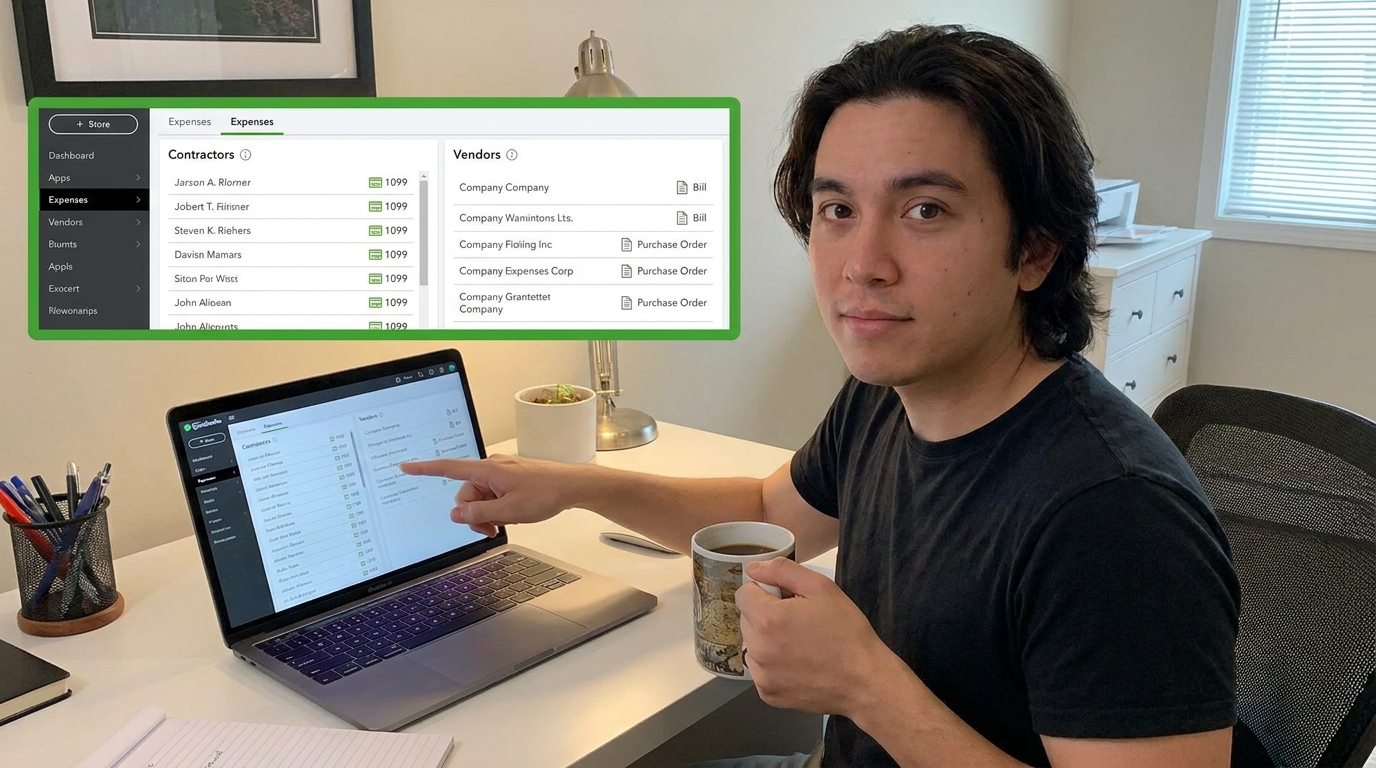
In QuickBooks Online, a contractor is generally a person or business you hire to perform services, while a vendor is a broader category for a person or business you purchase goods or services from. A contractor can therefore be a vendor, but not every vendor is a contractor.
Thank you for reading this post, don't forget to subscribe!Thank you for reading this post, don't forget to subscribe!For example, a construction company might hire a subcontractor to install electrical systems on a project. That subcontractor may be treated as a contractor for tax and payment purposes. The same construction company might also purchase lumber from a building-supply company. The lumber supplier is a vendor, but it is not necessarily a contractor.
This distinction matters because QuickBooks Online uses different workflows and information for contractors, vendors, expenses, bills, payments, and tax reporting.
If you are also researching whether QuickBooks has a dedicated contractor product, see our guide to Does QuickBooks Have a Contractor Version?.
Contractor vs. Vendor in QuickBooks Online: Quick Answer
| Category | Contractor | Vendor |
|---|---|---|
| Meaning | A person or business hired to perform services | A person or business that provides goods or services |
| Example | Electrician, plumber, subcontractor | Lumber supplier, equipment supplier, office supplier |
| Can they be paid? | Yes | Yes |
| Can they receive a 1099? | Potentially, depending on payment and tax rules | Potentially, depending on payment and tax rules |
| Provide services? | Usually | May provide goods, services, or both |
| Construction example | Subcontractor performing concrete work | Concrete supplier selling materials |
The key point: “Vendor” describes a broader business relationship, while “contractor” usually describes someone hired to perform work or services independently.
What Is a Contractor in QuickBooks Online?
A contractor is generally an independent worker or business that provides services to your company without being treated as an employee.
Construction companies commonly work with contractors and subcontractors for specialized work such as:
- Electrical work
- Plumbing
- Roofing
- Concrete work
- Framing
- Painting
- HVAC installation
- Site preparation
- Equipment operation
- Specialty construction services
For example, a general contractor might hire a plumbing company to complete the plumbing portion of a building project. The plumbing company is an independent business providing services to the general contractor.
In QuickBooks Online, contractor-related information can be used to help track payments and support applicable tax reporting.
What Is a Vendor in QuickBooks Online?
A vendor is a business or individual that sells goods or services to your company.
Vendors can include:
- Material suppliers
- Equipment suppliers
- Office-supply companies
- Professional service providers
- Consultants
- Subcontractors
- Maintenance companies
- Software providers
- Insurance-related service providers
For a construction company, a building-material supplier is a classic example of a vendor.
Suppose your company purchases $25,000 worth of lumber from a supplier. That supplier is a vendor because it sells products to your business.
If you hire another construction company to perform $25,000 worth of framing work, that business may be treated as a contractor or subcontractor, even though it can also be represented as a vendor within an accounting system.
Can a Contractor Also Be a Vendor in QuickBooks Online?
Yes. A contractor can also be treated as a vendor.
This is where the terminology can become confusing.
“Vendor” is a broad accounting relationship. A contractor can be one of the businesses your company pays for services, which means the contractor can also function as a vendor in your accounting records.
Think about the terms this way:
- Vendor: Someone your business buys goods or services from.
- Contractor: An independent person or business hired to perform work or services.
Therefore, a subcontractor can be both a contractor and a vendor from the perspective of your accounting system.
Example: Contractor vs. Vendor in Construction
Imagine that ABC Construction is building a commercial office.
The company works with three outside businesses:
| Business | What They Provide | Classification |
|---|---|---|
| XYZ Electrical | Electrical installation | Contractor/Subcontractor |
| BuildMart Supply | Lumber and materials | Vendor |
| Heavy Equipment Rentals | Excavator rental | Vendor |
XYZ Electrical is performing construction work, so it is a contractor or subcontractor.
BuildMart Supply sells materials. It is a vendor.
Heavy Equipment Rentals provides equipment, so it is also a vendor.
From an accounting perspective, all three businesses may represent people or companies that ABC Construction pays. However, their business relationships with ABC Construction are different.
Contractor vs. Vendor: Why Does the Difference Matter?
The distinction matters because the company needs to correctly record payments, expenses, and applicable tax information.
It also matters operationally.
A contractor may need to be associated with a specific construction project, cost code, labor category, or subcontract. A material vendor may instead be associated with materials or supplies.
For example:
- Electrical subcontractor → labor/subcontract cost
- Lumber supplier → materials cost
- Equipment rental company → equipment cost
- Office cleaning company → overhead expense
Accurate categorization can make construction job costing and project profitability reporting much more useful.
Contractors and 1099 Tax Reporting
One of the biggest reasons businesses pay attention to contractor information is tax reporting.
Businesses may need to report certain payments made to independent contractors on applicable IRS information returns when the relevant requirements are met.
However, not every payment to a vendor or contractor automatically requires a 1099. The reporting requirement depends on factors such as the type of payment, the recipient's business structure, the payment method, and current IRS rules.
Businesses should therefore avoid assuming that every vendor should receive a 1099 simply because the vendor exists in QuickBooks.
Instead, businesses should collect the appropriate tax information and determine which payments are reportable under current tax rules.
Do All Vendors Need a 1099?
No.
The fact that a person or company is listed as a vendor does not automatically mean the business must issue a 1099.
For example, a company may have vendors for:
- Office supplies
- Materials
- Equipment
- Utilities
- Software
- Professional services
- Construction services
The applicable tax-reporting treatment can differ depending on what was purchased, how the payment was made, and the recipient's legal and tax status.
Because tax rules can change, businesses should verify current IRS requirements or consult a qualified tax professional when determining 1099 obligations.
How Contractors Are Different From Employees
Another important distinction is between an independent contractor and an employee.
A contractor generally operates independently and provides services under an independent business relationship. An employee, by contrast, works for the company under an employment relationship and is subject to payroll withholding and employment requirements.
This distinction is especially important in construction because companies may work with employees, independent contractors, subcontractors, temporary workers, and other labor providers.
Misclassifying workers can create tax, payroll, labor, and compliance problems.
Businesses should not determine worker classification solely based on what the worker is called. The actual working relationship and applicable federal, state, and local rules matter.
How QuickBooks Online Can Help Track Contractors and Vendors
QuickBooks Online can help businesses organize their financial relationships with contractors and vendors.
Depending on the product and configuration, businesses can use QuickBooks to track information such as:
- Vendor and contractor profiles
- Bills
- Expenses
- Payments
- Purchase information
- Tax-related information
- 1099-related information
- Project expenses
The exact workflow depends on the QuickBooks Online product and features available to the business.
Contractors vs. Vendors for Construction Job Costing
For construction businesses, the distinction becomes even more important when tracking job costs.
Consider a $500,000 construction project with the following costs:
| Cost | Amount | Type |
|---|---|---|
| Concrete subcontractor | $75,000 | Subcontractor cost |
| Lumber supplier | $50,000 | Material cost |
| Equipment rental | $20,000 | Equipment cost |
| Employee labor | $90,000 | Payroll labor |
A contractor needs to know not just how much the company spent, but where those costs belong within the project.
That makes job costing particularly important for construction businesses.
If contractor payments are not correctly assigned to projects or cost categories, the company may have difficulty determining the actual profitability of each job.
Contractor vs. Vendor vs. Employee
| Characteristic | Contractor | Vendor | Employee |
|---|---|---|---|
| Provides services | Usually | Sometimes | Yes |
| Provides physical goods | Usually no | Yes | No |
| Independent business relationship | Generally | Generally | No |
| Paid through payroll | Generally no | No | Yes |
| May receive applicable 1099 | Potentially | Potentially | No; employees receive applicable wage reporting instead |
| Common construction example | Subcontractor | Material supplier | Construction worker |
Should You Set Up a Contractor as a Vendor in QuickBooks?
In many accounting workflows, an independent contractor can be tracked as a vendor because the contractor is a business or individual the company pays for services.
The important point is to maintain accurate information about the contractor and payments rather than focusing only on the label used in the software.
For tax purposes, businesses should make sure they have the appropriate tax information and correctly identify reportable payments.
For construction accounting, businesses should also make sure contractor expenses are assigned to the correct project, cost code, or expense category.
How to Choose the Right QuickBooks Setup for Contractors
Before setting up contractors and vendors, consider the way your construction business operates.
For a Solo Contractor
A solo contractor may mainly need income and expense tracking, invoicing, customer management, and financial reporting.
For a Small Construction Company
A small construction company may need contractor tracking, vendor bills, project expenses, job costing, employee payroll, and financial reporting.
For a Growing Contractor
A growing contractor may need multiple users, detailed project profitability, subcontractor management, time tracking, payroll integration, and stronger financial controls.
For a Government Contractor
Government contractors may also need to consider prevailing-wage requirements, certified payroll, Davis-Bacon requirements where applicable, and reporting such as Form WH-347.
A general accounting platform may need to be supplemented with specialized construction payroll or compliance software for these requirements.
Does QuickBooks Have a Contractor Version?
QuickBooks does not have one universal standalone product called a “contractor version” that every construction business needs.
Instead, contractors can choose among QuickBooks products and features based on their accounting, payroll, project, and business-management requirements.
For a more detailed explanation, read Does QuickBooks Have a Contractor Version?.
How Much Does QuickBooks Cost for a Contractor?
The cost depends on which QuickBooks product and plan the contractor selects and whether additional services such as payroll are required.
There is no single fixed “contractor price.” A solo contractor with simple bookkeeping needs can have very different software costs from a construction company managing employees, multiple projects, subcontractors, and job costing.
For a detailed discussion of contractor pricing and the factors that affect the total cost, read How Much Does a QuickBooks Contractor Cost?.
Frequently Asked Questions
What is the main difference between a contractor and a vendor in QuickBooks Online?
A contractor is generally an independent person or business hired to perform services, while a vendor is a broader category for someone your company purchases goods or services from. A contractor can therefore also be a vendor.
Can a contractor be a vendor in QuickBooks Online?
Yes. An independent contractor can also be treated as a vendor because the business is purchasing services from that contractor. The terms describe different aspects of the business relationship.
Is a subcontractor a contractor or a vendor?
A subcontractor can be both. From a business relationship perspective, the subcontractor is a contractor because it performs work independently. From an accounting perspective, the subcontractor can also be a vendor because your company pays the business for services.
Do vendors get 1099s in QuickBooks?
Not automatically. Whether a payment is reportable depends on the type of payment, recipient, payment method, business structure, and applicable tax rules. Businesses should verify current IRS requirements before filing.
Should I enter my subcontractors as vendors in QuickBooks?
A subcontractor can be tracked as a vendor in QuickBooks because the subcontractor is a business or individual your company pays for services. Make sure the contractor's information and payments are categorized correctly for accounting and tax purposes.
What is the difference between a contractor and an employee?
An independent contractor generally operates under an independent business relationship, while an employee works for the company under an employment relationship and is generally paid through payroll with applicable tax withholding.
What is the difference between a contractor and a supplier?
A contractor generally performs services or work for your company, while a supplier typically provides products or materials. In construction, a subcontractor performing electrical work is a contractor, while a company selling electrical materials is a supplier or vendor.
Why is this distinction important for construction companies?
Correctly identifying and tracking contractors, vendors, employees, materials, and other costs can improve accounting accuracy and job costing. It also helps businesses manage applicable tax and payroll reporting requirements.
Final Verdict
The simplest way to remember the difference is this: a vendor is a broad accounting category, while a contractor describes a particular type of independent service provider.
A construction company might therefore have:
- Electrical subcontractor: Contractor and potentially a vendor in QuickBooks
- Lumber supplier: Vendor
- Equipment rental company: Vendor
- Construction employee: Employee
For QuickBooks Online, the important issue is not simply choosing the right label. You need to make sure payments, expenses, tax information, payroll, and project costs are recorded correctly.
This becomes especially important for construction businesses because contractor payments can represent a major part of project costs. Accurate classification and job costing can help contractors understand where project money is going and whether individual jobs are profitable.
For related information, read Does QuickBooks Have a Contractor Version? and How Much Does a QuickBooks Contractor Cost?.
Research & Sources
- IRS – Independent contractor and employee classification and information-return guidance.
- Intuit QuickBooks – QuickBooks Online documentation covering contractors, vendors, bills, expenses, and tax-related information.
- Construction Payroll Software – Does QuickBooks Have a Contractor Version?
- Construction Payroll Software – How Much Does a QuickBooks Contractor Cost?